Descriptive plots for the assessment of agreement
Source:vignettes/v1.descriptive.plots.Rmd
v1.descriptive.plots.RmdIntroduction
Descriptive tools are often the first step in the analysis of agreement, using graphical representations to visually explore the degree of similarity between raters.
In this vignette, we show how to use the function
descriptive.plots() and highlight its main features. This
function provides a set of standard descriptive plots commonly used to
explore data in agreement studies:
a scatter plot of all the possible paired-measurements of one rater against the other
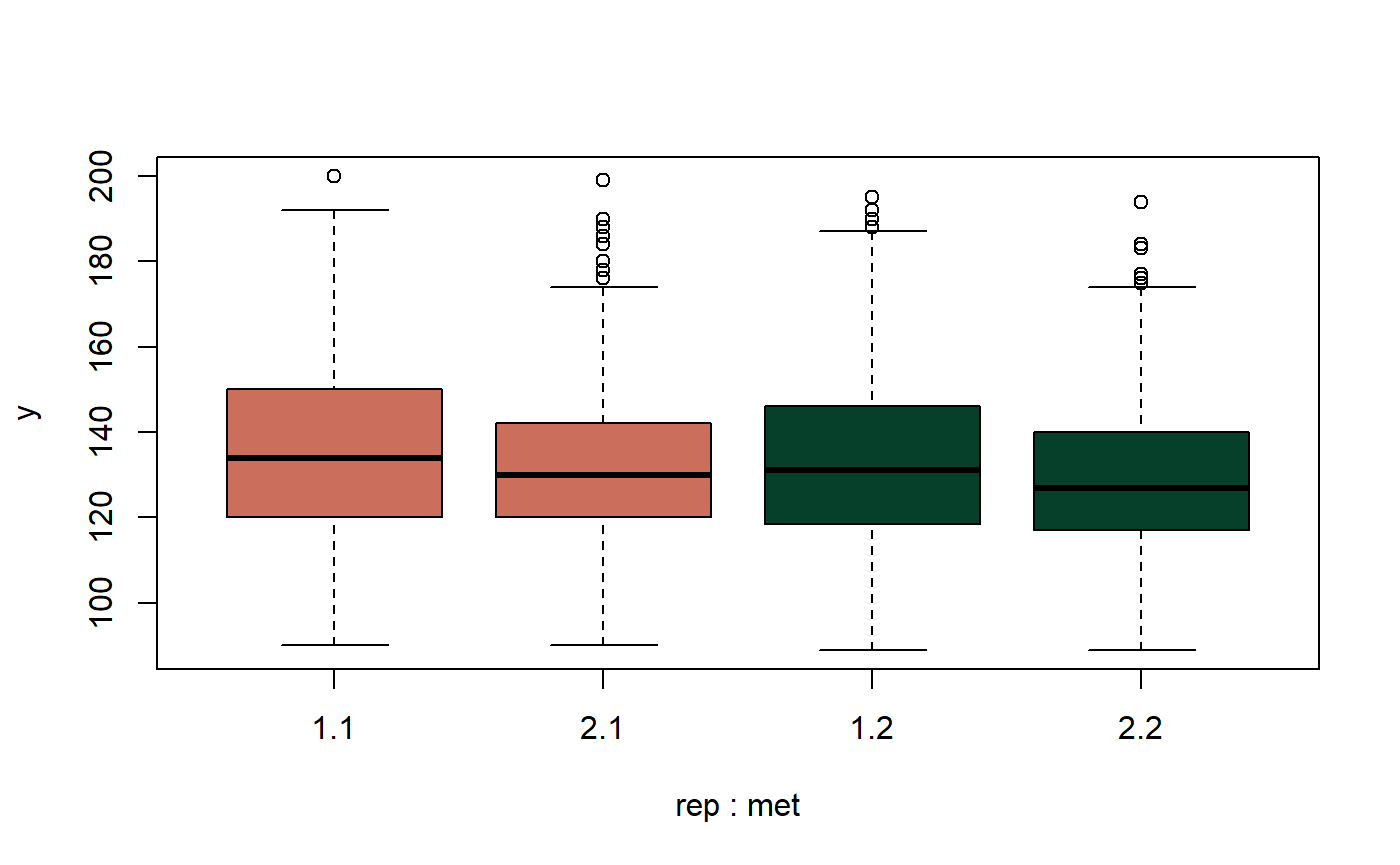
a boxplot of the measurements per rater and, if it applies, replicate
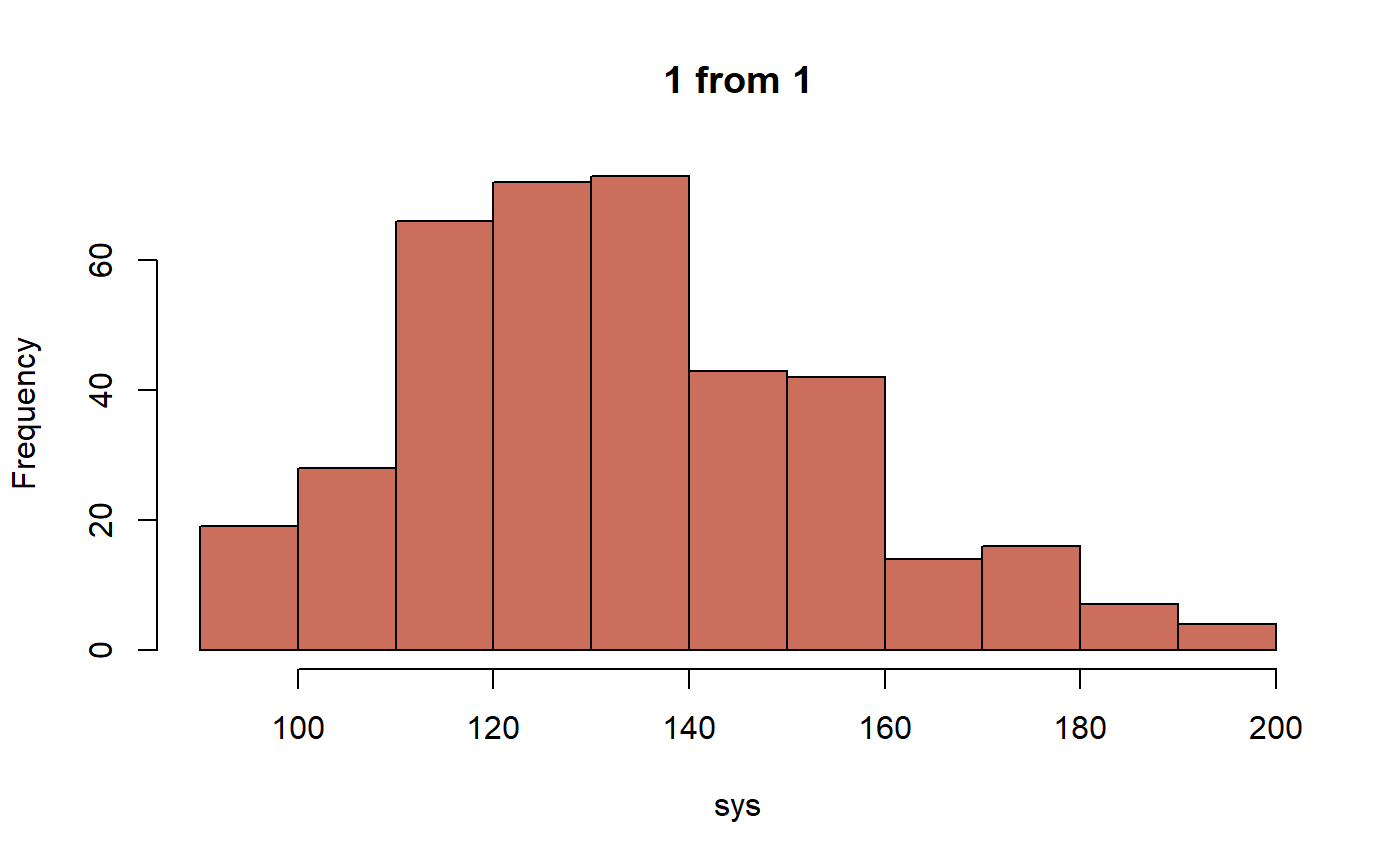
a histogram of the measurements per rater and, if it applies, replicate
a normal quantile-quantile (QQ) plot of the measurements per rater and, if it applies, replicate
a histogram of the paired-differences
a normal QQ plot of the paired-differences
To illustrate the use of these descriptive plots in the context of agreement analysis, the function is applied to a sample dataset suitable for this purpose.
The example will be referred to as blood pressure data. The
systolic and diastolic blood pressure (BP) was measured in 384 subjects
using two different instruments: a mercury sphygmomanometer (a manual
device) and an OMRON 711 (an automatic instrument). The BP in
millimetres of mercury (mmHg) was simultaneously measured twice by each
instrument. Consequently, each subject contributed four measurements of
both systolic and diastolic BP —two per instrument— yielding a total of
1536 measurements. These data are available as the bpres
dataset in the R package cccrm. In this vignette, we focus
exclusively on systolic BP measurements.
We begin by loading the dataset and retaining only the variables required for the analysis. For clarity and ease of use, the variables are also renamed, as their names are originally provided in Spanish. We also convert the categorical variables to factors.
library(cccrm)
bp <- bpres[, c("ID", "SIS", "METODE", "NM")]
colnames(bp) <- c("id", "sys", "met", "rep")
bp[, c("id", "met", "rep")] <- lapply(bp[, c("id", "met", "rep")], as.factor)
The data look like the following:
head(bp)
#>   id sys met rep
#> 1  1 146   1   1
#> 2  1 156   1   2
#> 3  1 166   2   1
#> 4  1 140   2   2
#> 5  2 100   1   1
#> 6  2 100   1   2
The most simple call to the function descriptive.plots()
is the one in which only the data are passed. By default the function
displays all the plots.
library(TDIagree)
descriptive.plots(bp, sys, id, met, rep)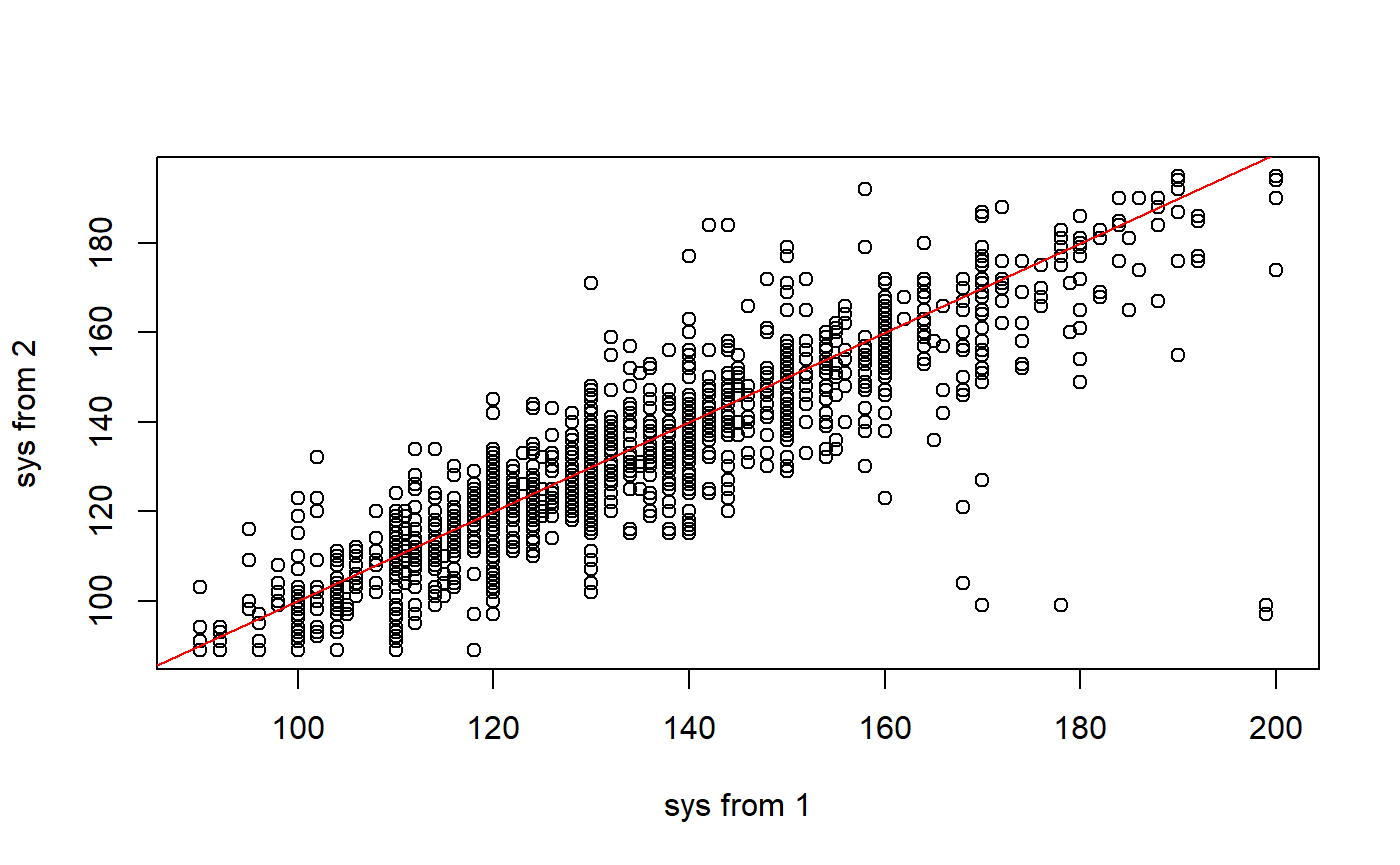
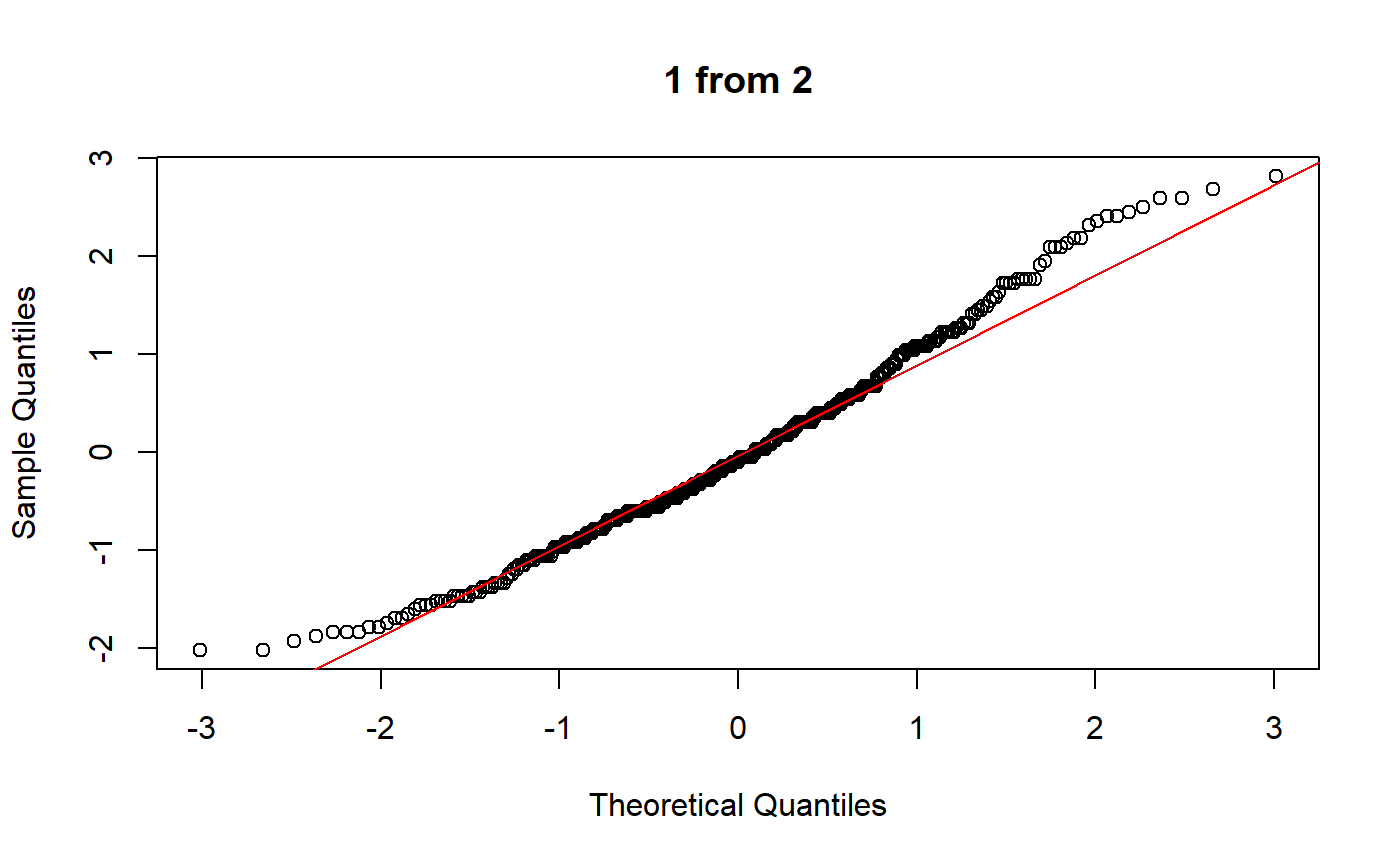
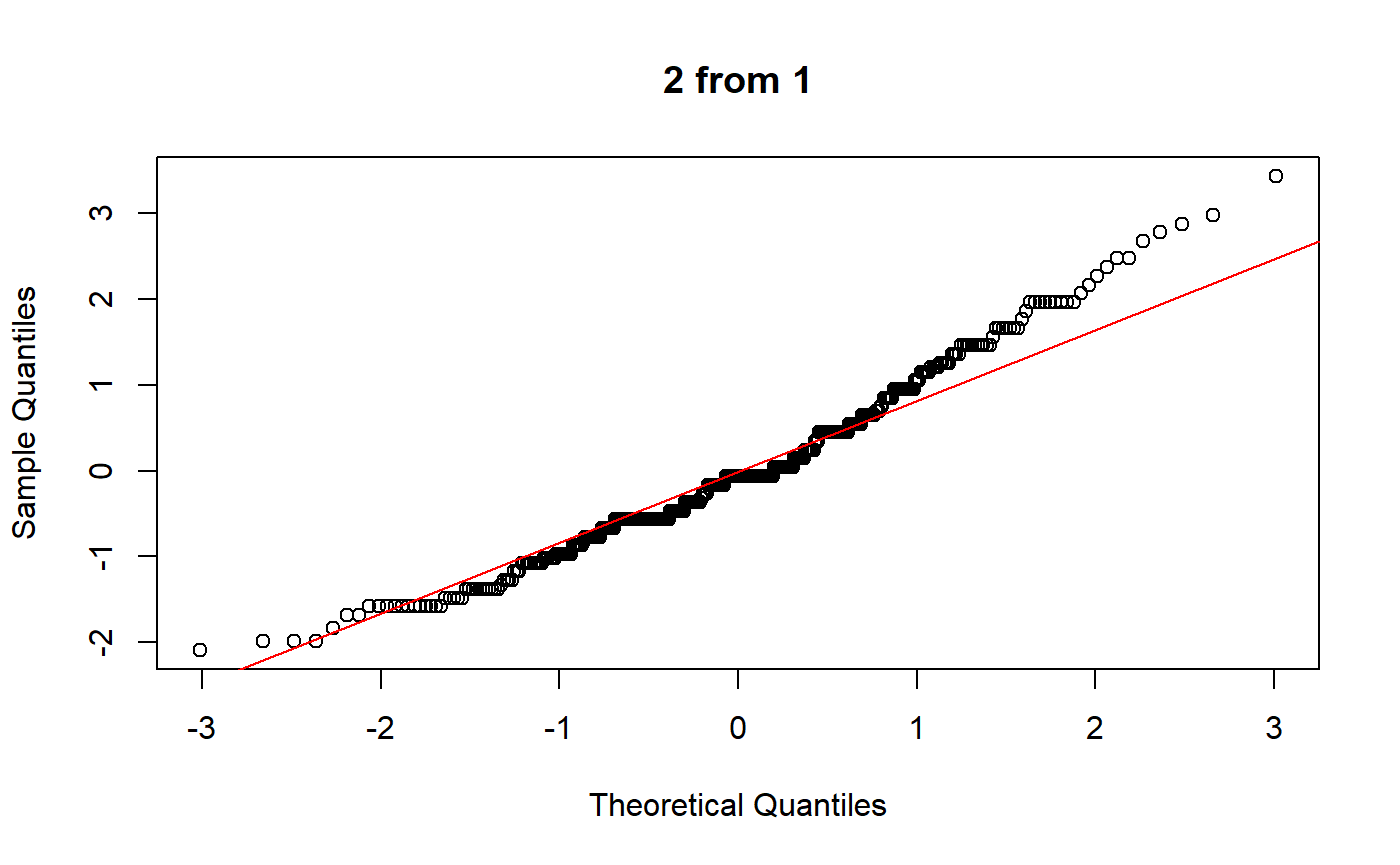
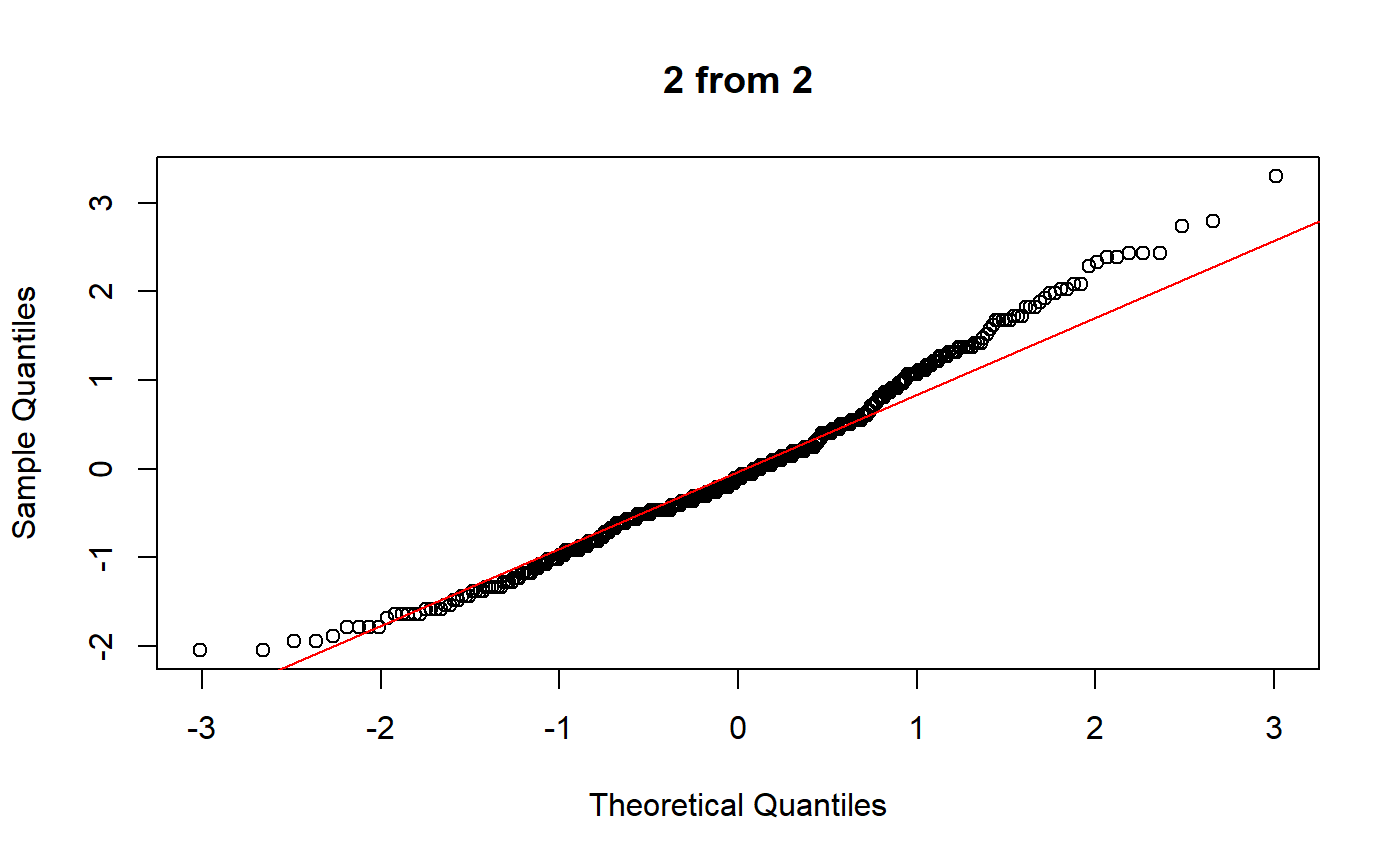
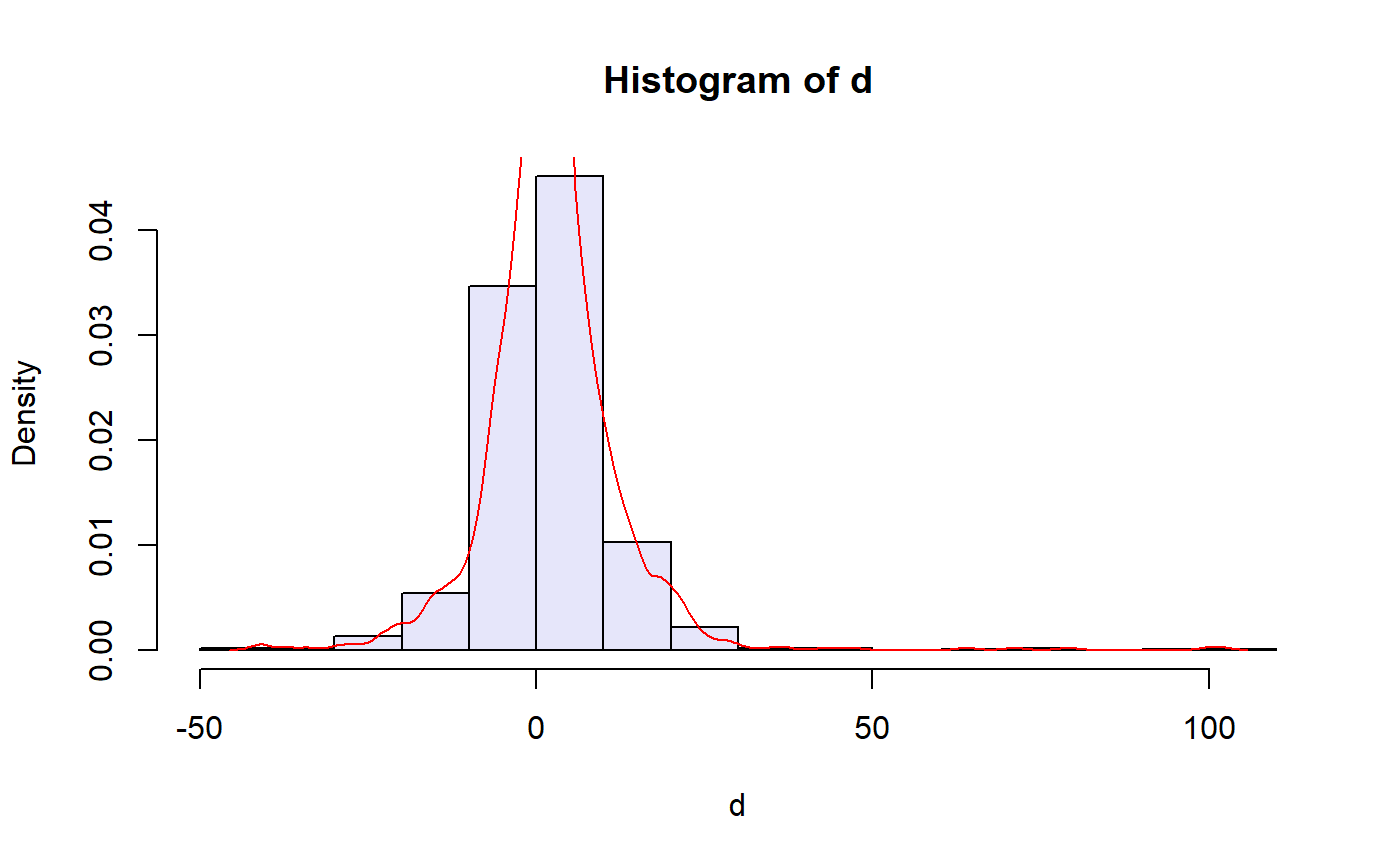
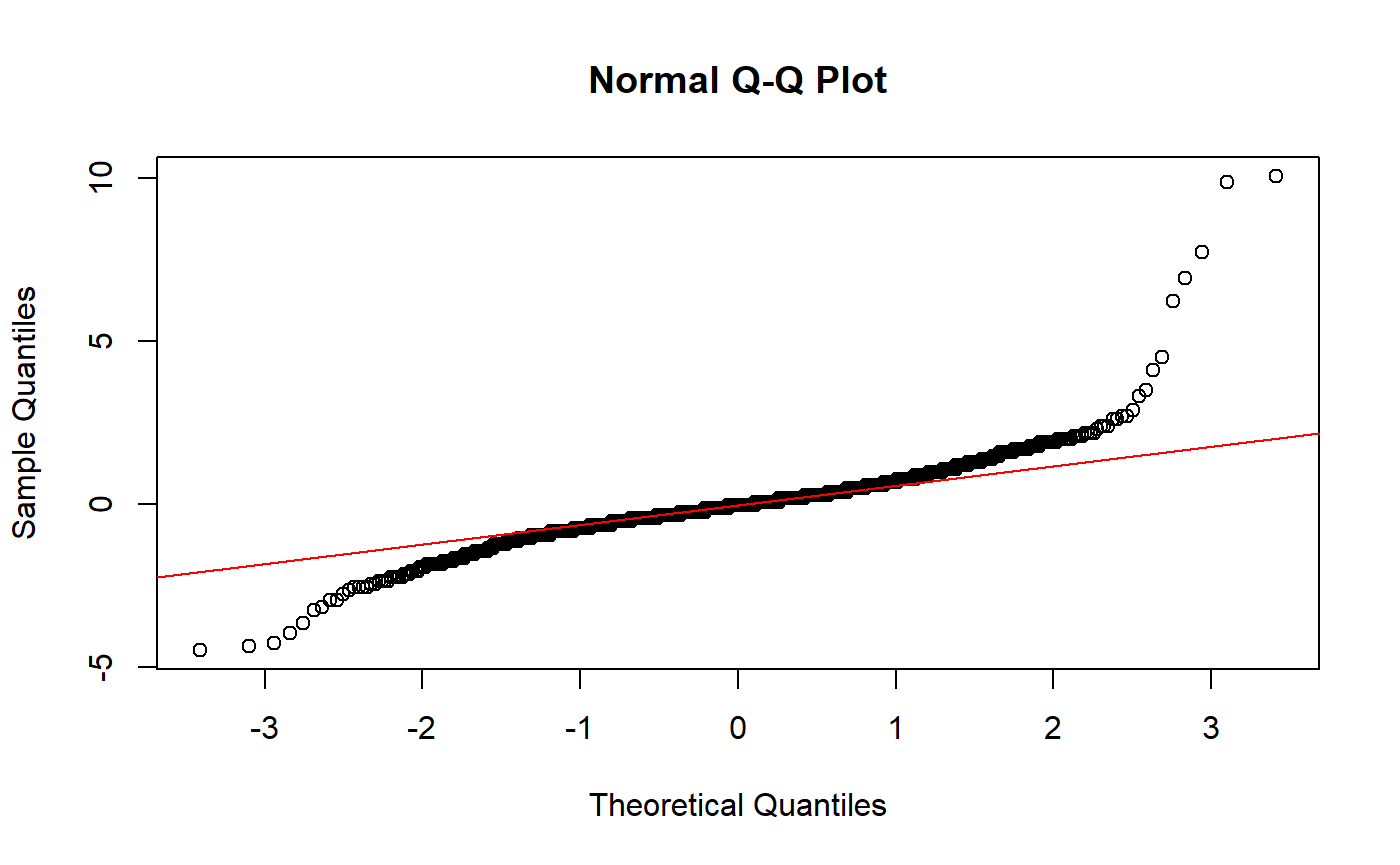
The function is called passing the name of the dataset (of class
data.frame) in first instance. Afterwards, the column names
of the quantitative measurements, the subject effect, the rater effect
and the replicate effect (when there are no replicates the user should
use rep = NA, the default value).
In the following, we will show how to call each plot by itself and
modify it to the user’s preferences. We do this specifically because if
the user wants to use other graphical parameters than the ones
implemented in the function they can pass them through the ellipsis
(...) and the plots should be called one by one for optimal
performance.
Scatterplot
The most simple graphical approach to assess agreement is a scatterplot of the measurements obtained from one rater against those from the other. In this scatterplot, the bisector is the line of concordance in which all points lie in the case of perfect agreement.
We can obtain only the scatterplot by selecting it in the argument
plots, which is not case-sensitive and is passed to
match.arg().
descriptive.plots(bp, sys, id, met, rep, plots = "sc")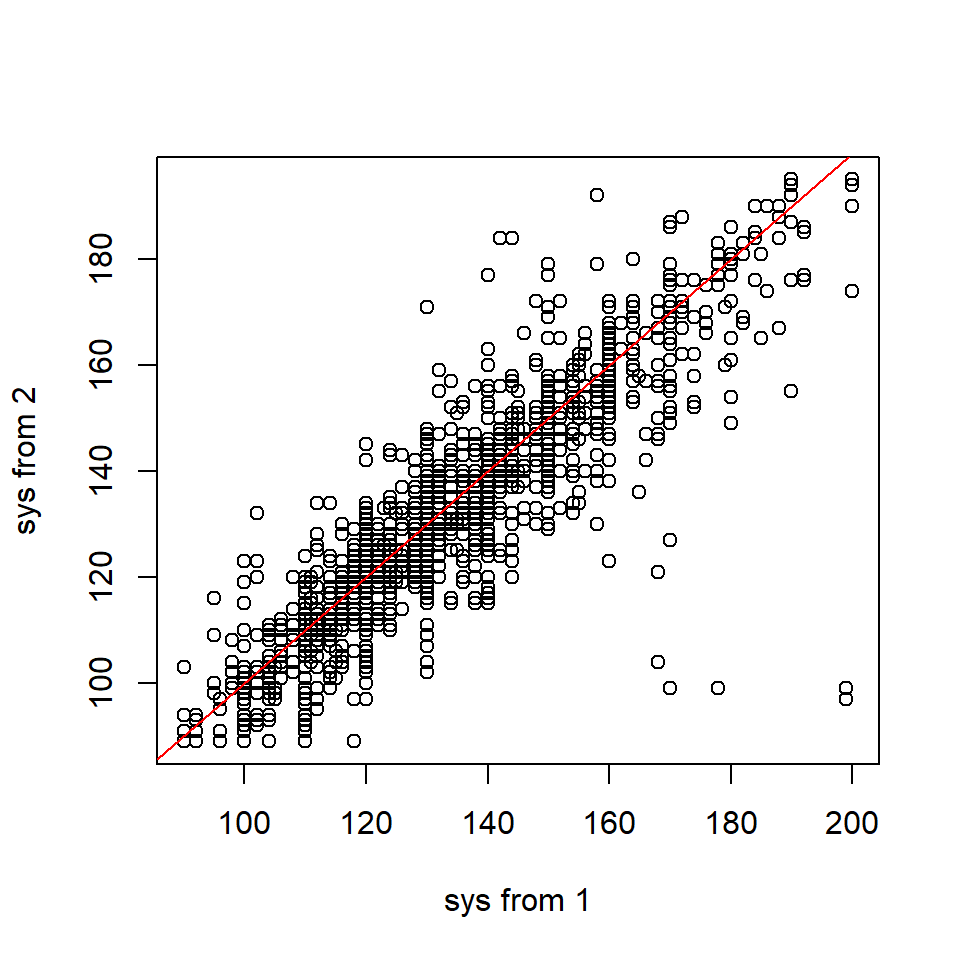
As the default value of the axes annotations depends on the levels of
the met column we can either modify the labels or the
arguments scatterplot.xlab and
scatterplot.ylab.
bp$met <- factor(bp$met, labels = c("Sphygmomanometer", "OMRON 711"))
descriptive.plots(bp, sys, id, met, rep, plots = "scatterplot")

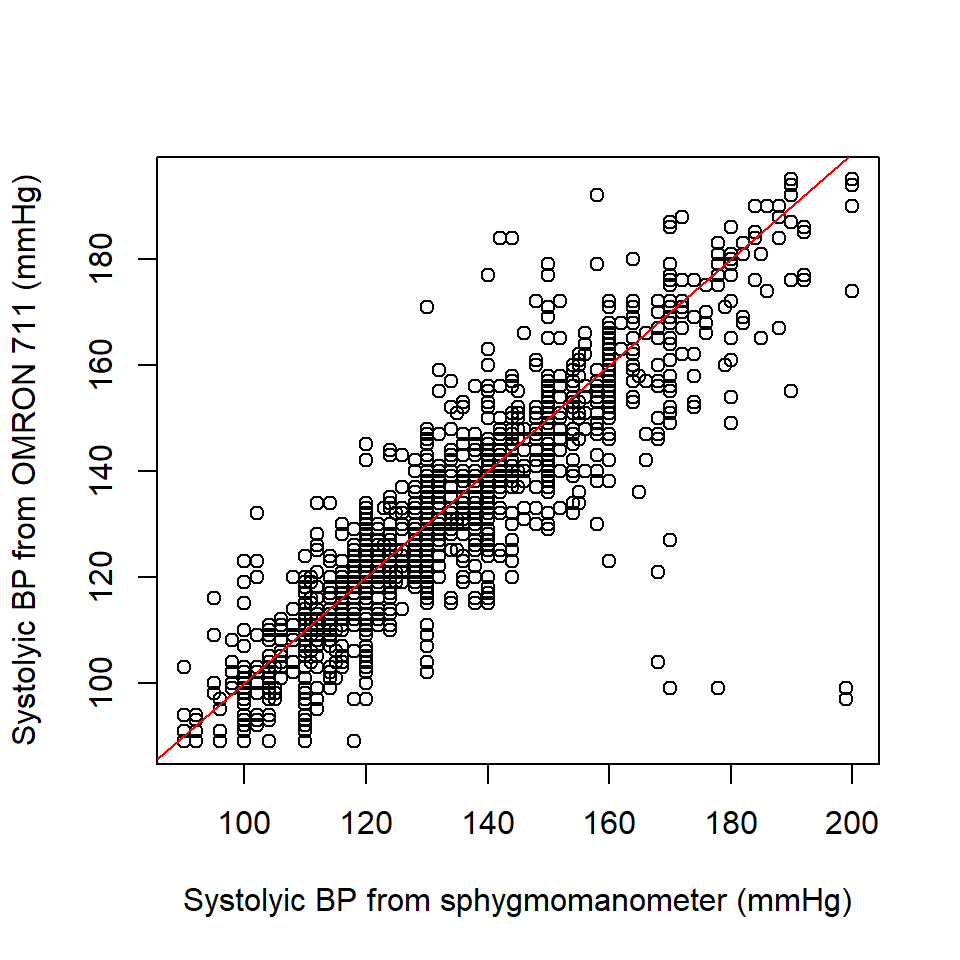
descriptive.plots(bp, sys, id, met, rep, plots = "scatterplot",
                  scatterplot.xlab = "Systolyic BP from sphygmomanometer (mmHg)",
                  scatterplot.ylab = "Systolyic BP from OMRON 711 (mmHg)")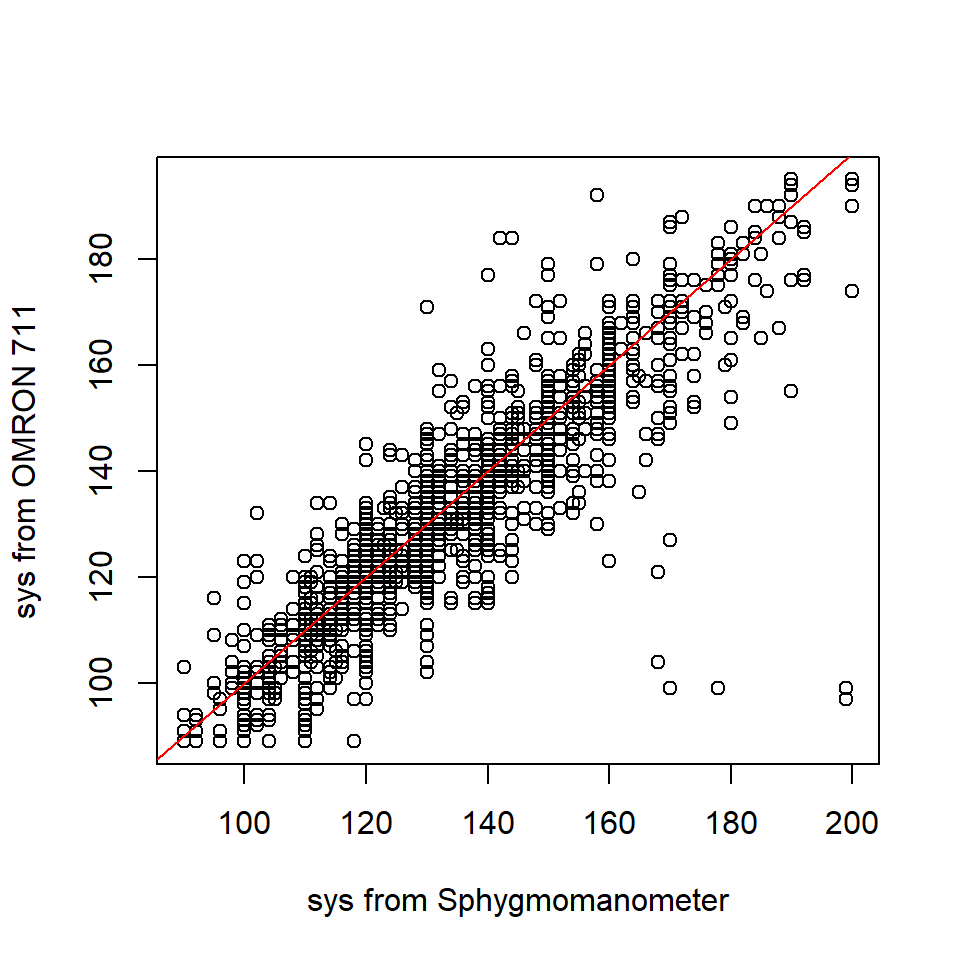
We can also modify the colour of the bisector with the argument
line.col that allows any of the three kinds of R color
specifications, i.e., either a colour name (as listed by
palettecolors()), a hexadecimal string of the form
‘#rrggbb’ or ‘#rrggbbaa’, or a positive integer i meaning
palette()[i].
descriptive.plots(bp, sys, id, met, rep, plots = "scatterplot",
                  scatterplot.xlab = "Systolyic BP from sphygmomanometer (mmHg)",
                  scatterplot.ylab = "Systolyic BP from OMRON 711 (mmHg)",
                  line.col = "#bd7cb4")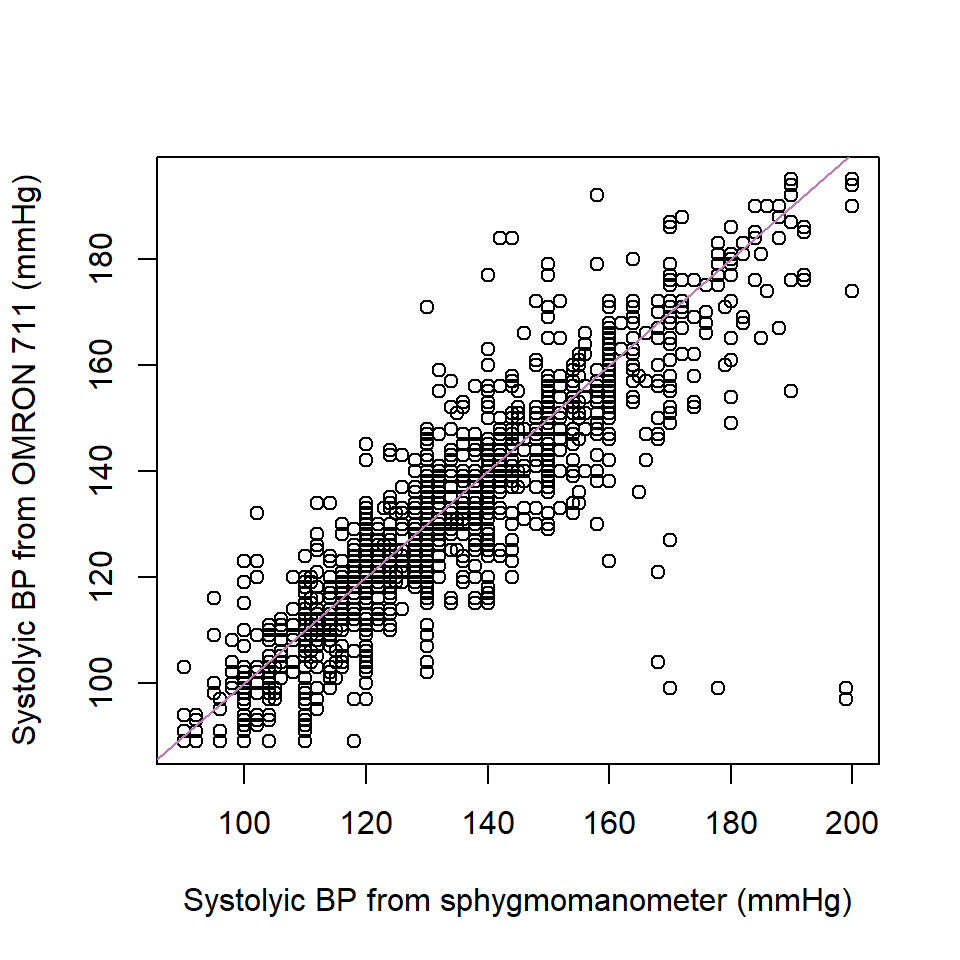
In this case, via the ellipsis, we modify the title of the plot, the limits of the axes and the symbol to use in the points.
descriptive.plots(bp, sys, id, met, rep, plots = "scatterplot",
                  scatterplot.xlab = "Systolyic BP from sphygmomanometer (mmHg)",
                  scatterplot.ylab = "Systolyic BP from OMRON 711 (mmHg)",
                  line.col = "#bd7cb4",
                  main = "Scatterplot",
                  xlim = c(80, 200), ylim = c(80, 200),
                  pch = 21,
                  col = "darkgrey",
                  bg = "grey")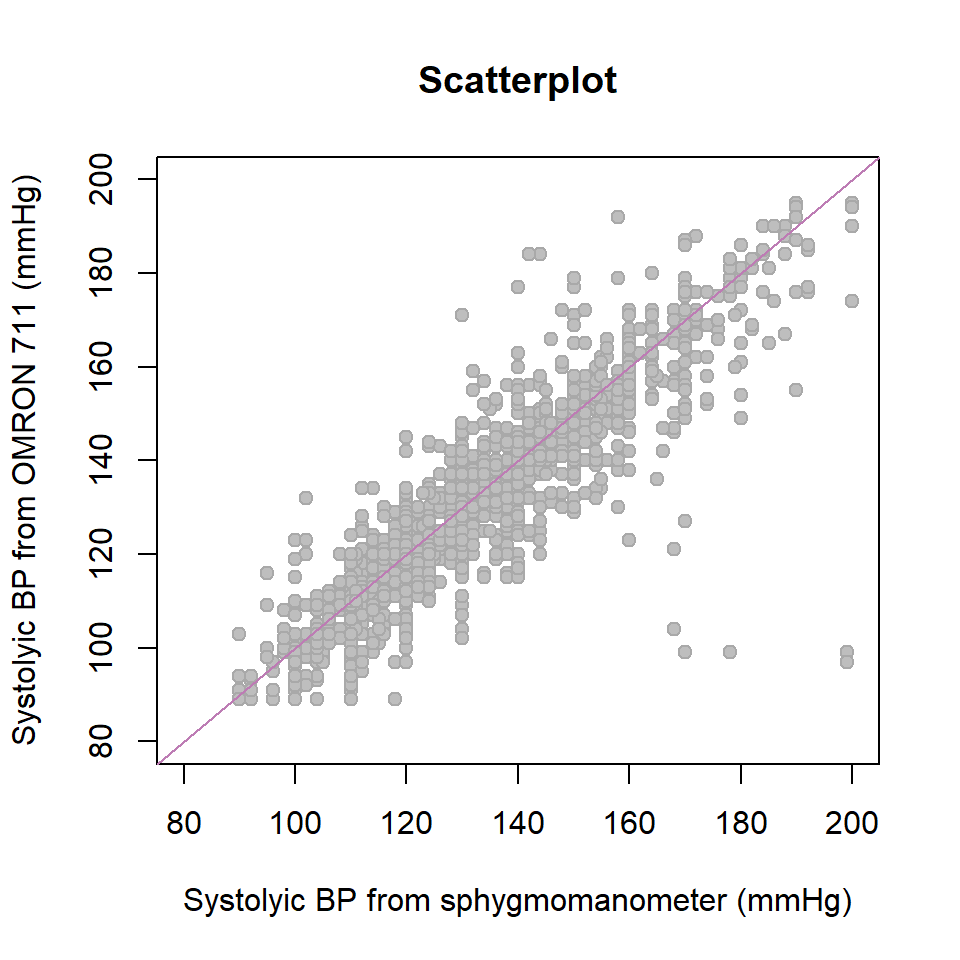
The systolic BP measurements look highly correlated and one can observe that the measurements from the manual device tend to be discretised, whereas those from the automatic device seem to take any value in the range of values of the systolic BP.
Note: In this study we identified five measurements in which the results from the two raters differ substantially. These readings originated from three specific individuals whose identification numbers were 24, 199 and 226. After discussions with clinical practitioners, these discrepancies were attributed to transcription errors (and not to the error introduced by the device itself). The readings from these patients are highlighted in green in the scatterplot below:
descriptive.plots(bp, sys, id, met, rep, plots = "scatterplot",
                  scatterplot.xlab = "Systolyic BP from sphygmomanometer (mmHg)",
                  scatterplot.ylab = "Systolyic BP from OMRON 711 (mmHg)",
                  xlim = c(80, 200), ylim = c(80, 200))

points(bp[bp$met == "Sphygmomanometer" & bp$rep == 1 & bp$id %in% c(24, 199, 226), "sys"],
       bp[bp$met == "OMRON 711" & bp$rep == 1 & bp$id %in% c(24, 199, 226), "sys"], col = 3)
points(bp[bp$met == "Sphygmomanometer" & bp$rep == 1 & bp$id %in% c(24, 199, 226), "sys"],
       bp[bp$met == "OMRON 711" & bp$rep == 2 & bp$id %in% c(24, 199, 226), "sys"], col = 3)
points(bp[bp$met == "Sphygmomanometer" & bp$rep == 2 & bp$id %in% c(24, 199, 226), "sys"],
       bp[bp$met == "OMRON 711" & bp$rep == 1 & bp$id %in% c(24, 199, 226), "sys"], col = 3)
points(bp[bp$met == "Sphygmomanometer" & bp$rep == 2 & bp$id %in% c(24, 199, 226), "sys"],
       bp[bp$met == "OMRON 711" & bp$rep == 2 & bp$id %in% c(24, 199, 226), "sys"], col = 3)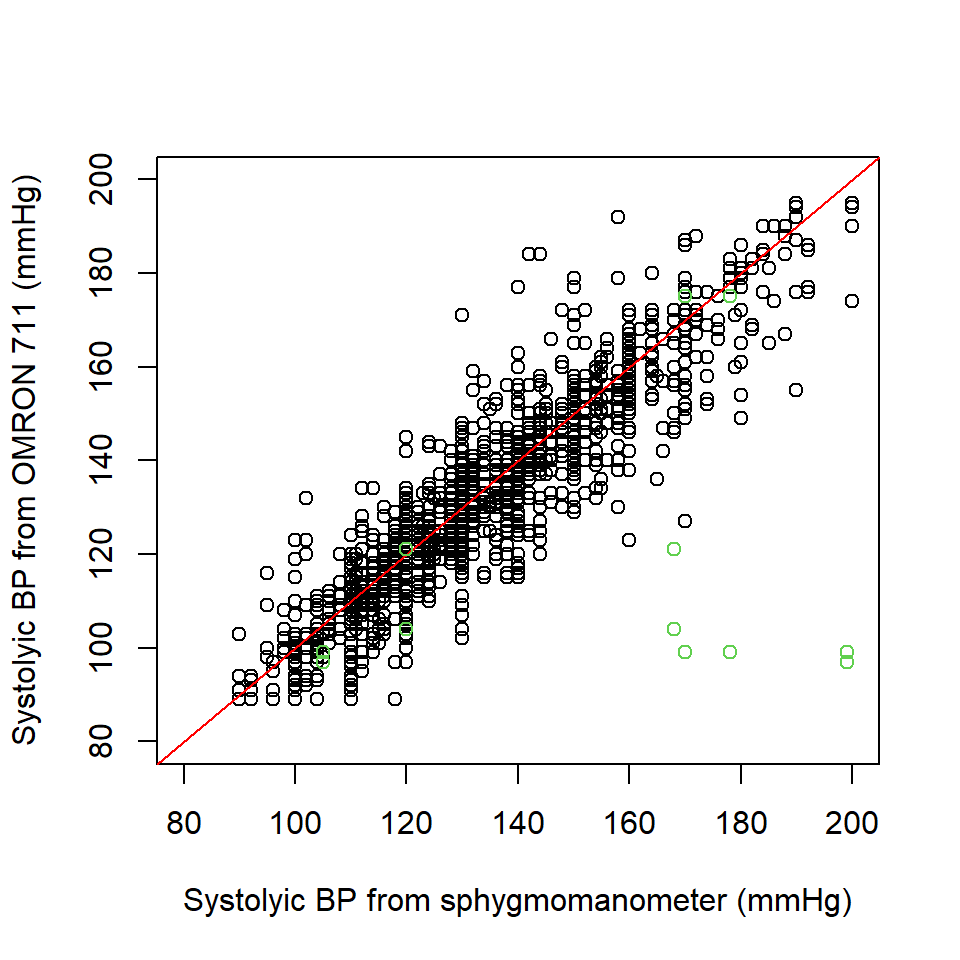
Since we could not recover the correct values of these measurements, we decided to discard all measurements from these patients. Consequently, the filtered dataset is used for all subsequent analyses and examples in this vignette.
Boxplots per rater and replicate
Another helpful tool to visualise the distribution of the
measurements are boxplots of the measurements per rater and replicate.
Before plotting them, we undo the change we have made in the
met column to obtain the graph we would have obtained with
the original data.
bp$met <- factor(bp$met, labels = c("1", "2"))

descriptive.plots(bp, sys, id, met, rep, plots = "box")
#> Warning in descriptive.plots(bp, sys, id, met, rep, plots = "box"): 'id' column
#> has (at least) one empty level. Calculation proceeds ignoring the empty
#> level(s)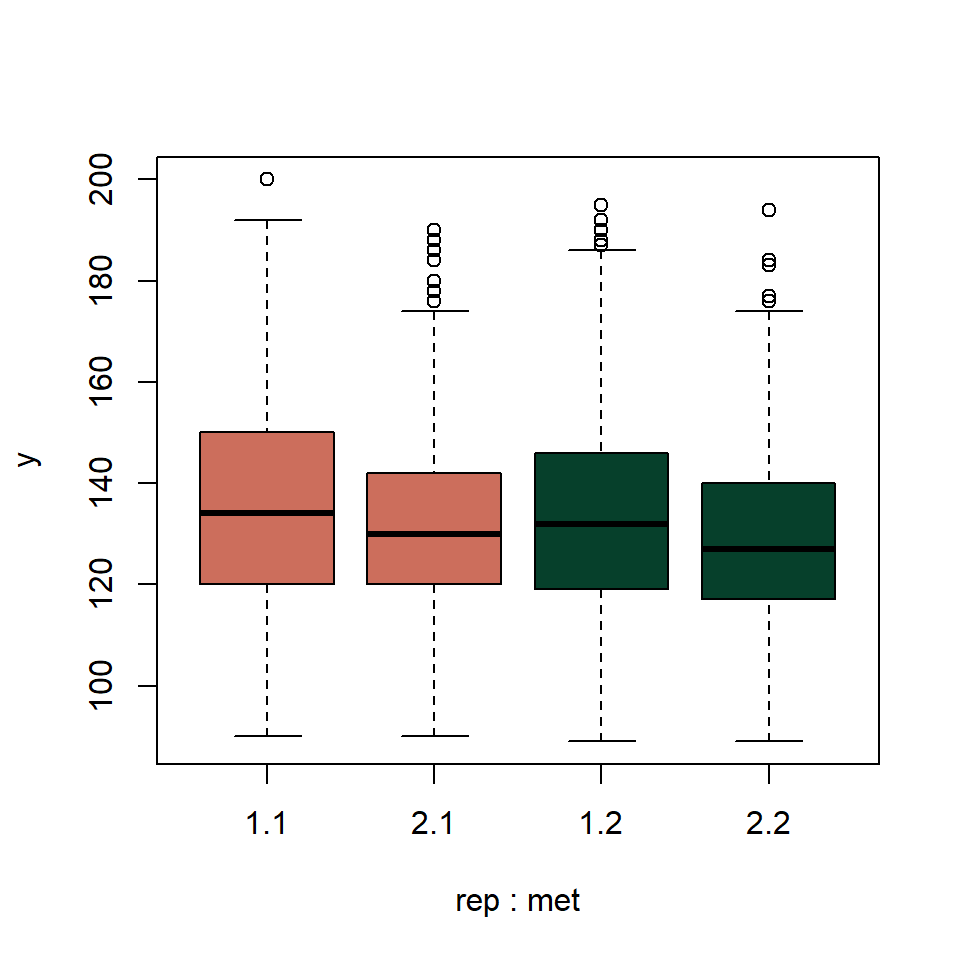
Note that a warning is issued indicating that one of the levels of
our id column is empty. It comes from the patients we
discarded. While this warning can be safely ignored, it is good practice
to clean up unused levels using droplevels() before
proceeding:
bp$id <- droplevels(bp$id)The only argument in the function descriptive.plots()
that affects the boxplots is the argument rater.col that
allows the user to choose the colour palette to be used in the plots
involving the measurements separated per rater. A colour should be
indicated per each rater.
descriptive.plots(bp, sys, id, met, rep, plots = "box",
                  rater.col = c("#edbd57", "#b0cbe6"))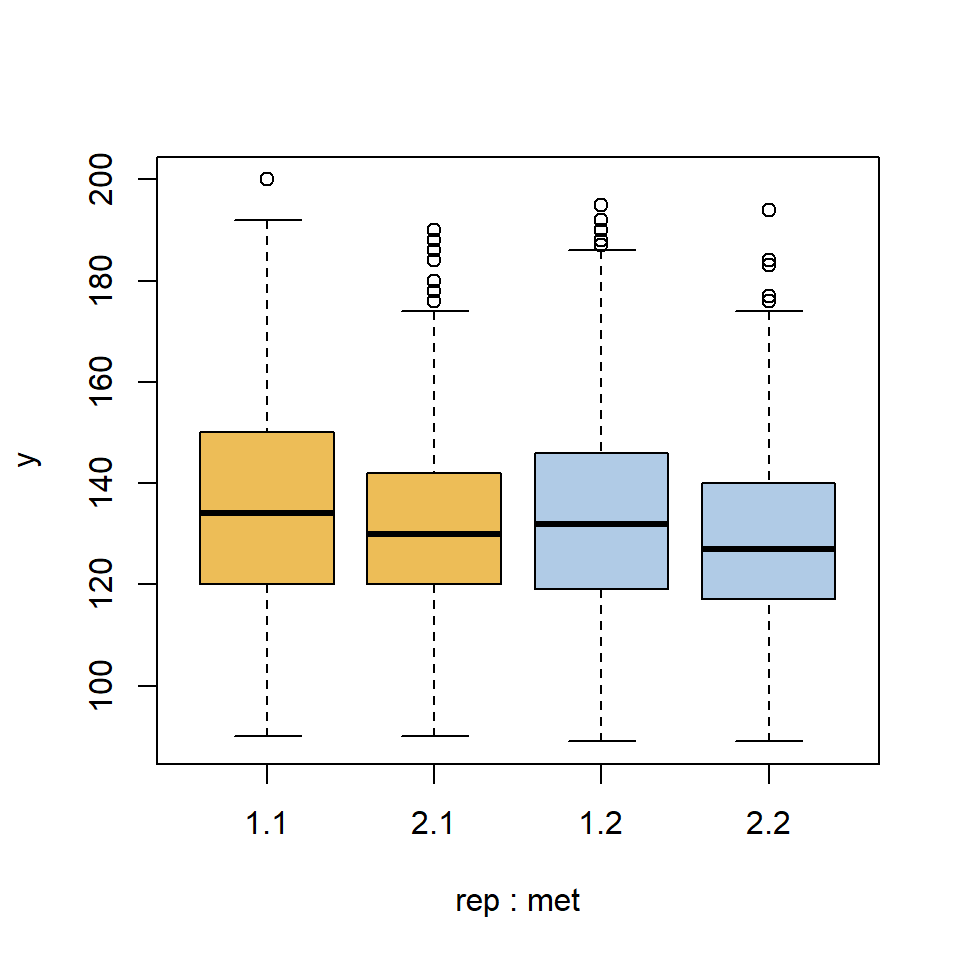
As before, we can modify the arguments of the function
boxplot() via the ellipsis. In this case, we modify the
scale factor to be applied to the boxes, the limits of the axes, the
group labels that are printed under each boxplot, the axes annotations
and the title. We can also add text with the text()
function to indicate the device used to take the measurements.
descriptive.plots(bp, sys, id, met, rep, plots = "box",
                  rater.col = c("#edbd57", "#b0cbe6"),
                  boxwex = .65, ylim = c(80, 200),
                  names = rep(c("1st rep.", "2nd rep."), 2),
                  xlab = "", ylab = "Systolic BP (mmHg)",
                  main= "Boxplots")
text(x = 1.5, y = 45, labels = "Sphygmomanometer", xpd = TRUE, cex = 1)
text(x = 3.5, y = 45, labels = "OMRON 711", xpd = TRUE, cex = 1)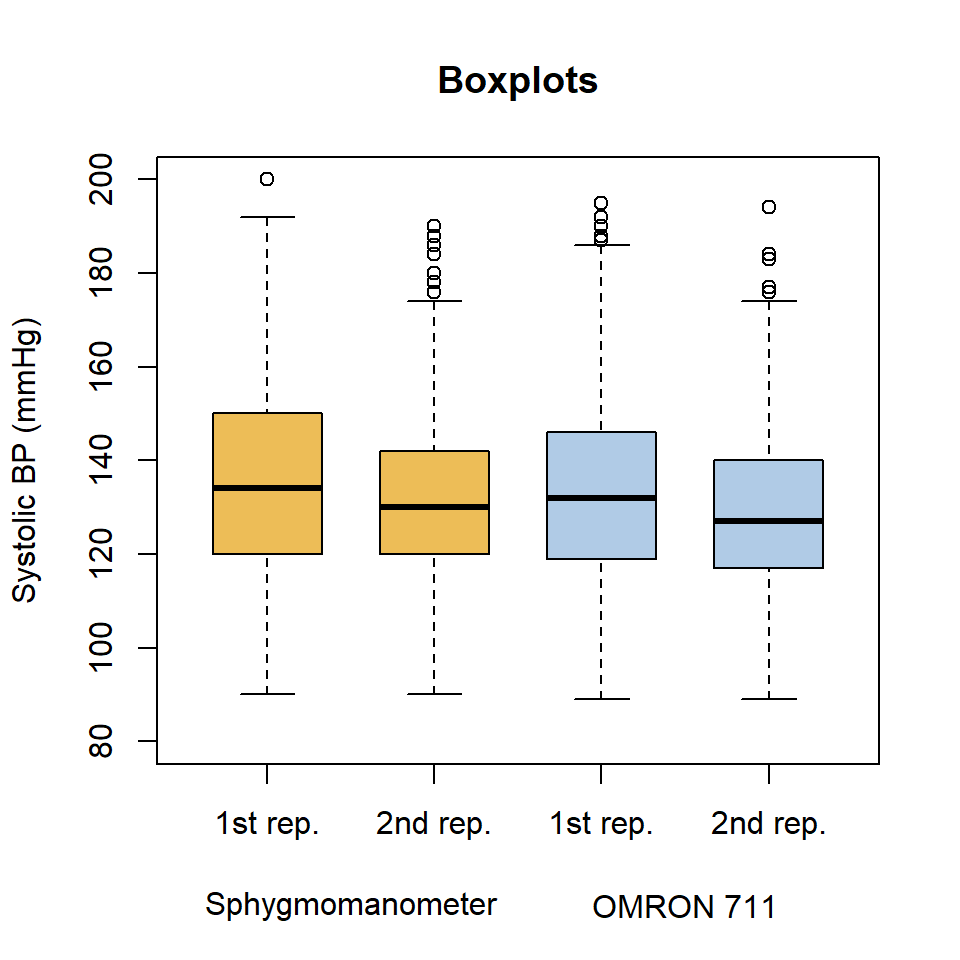
We can see quite symmetric distributions with all the medians falling around 130 mmHg.
Histograms of the measurements per rater and replicate
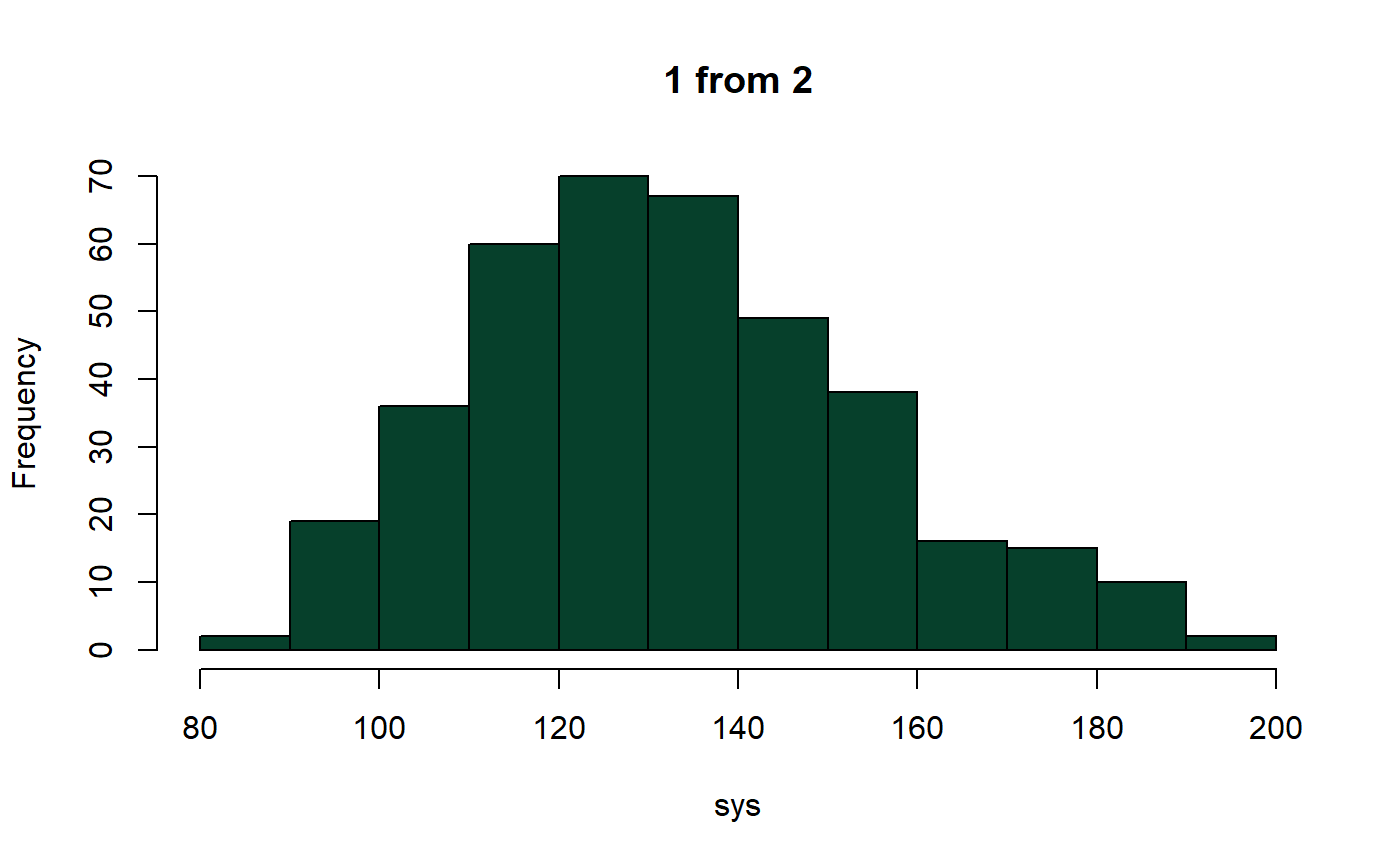
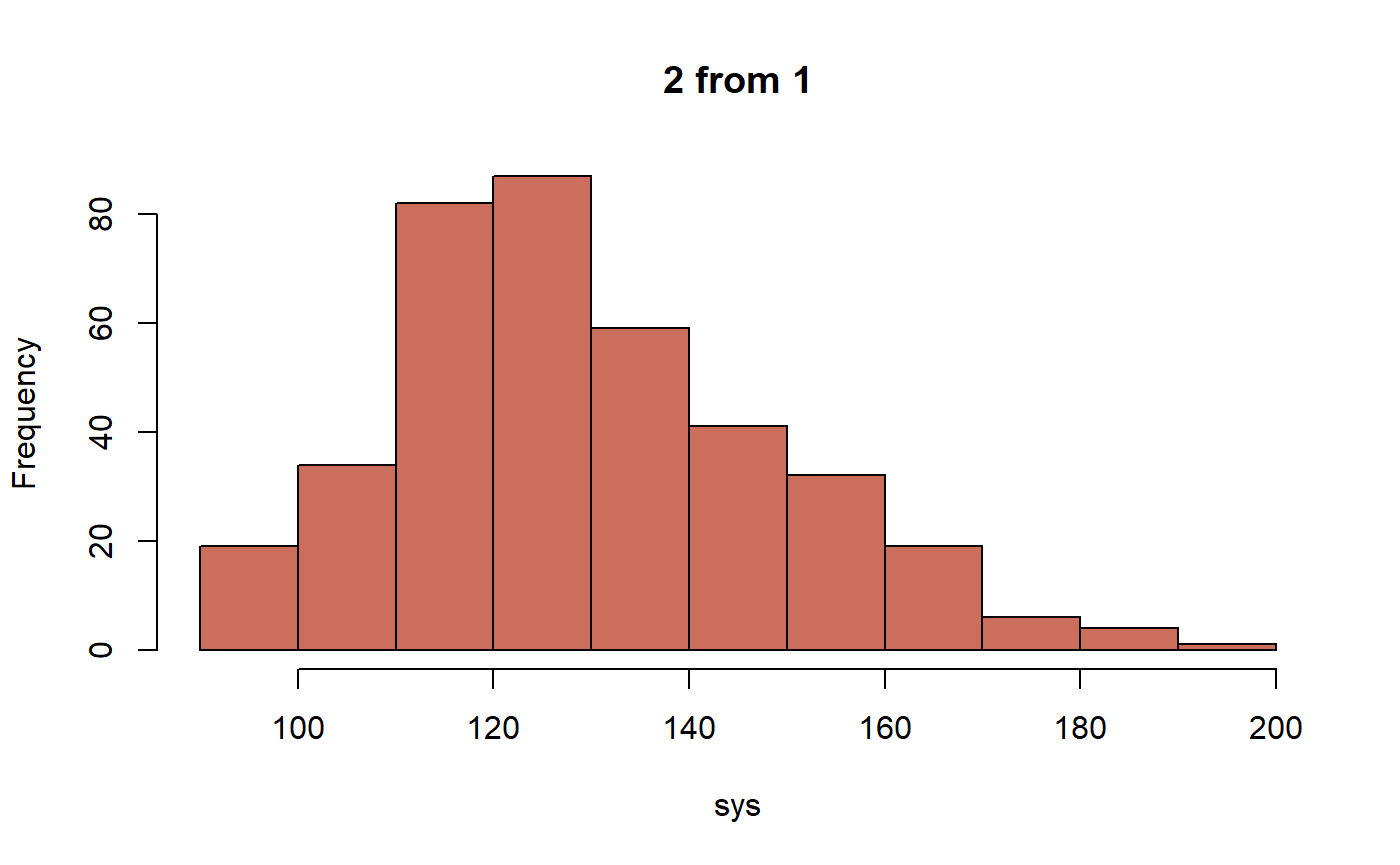
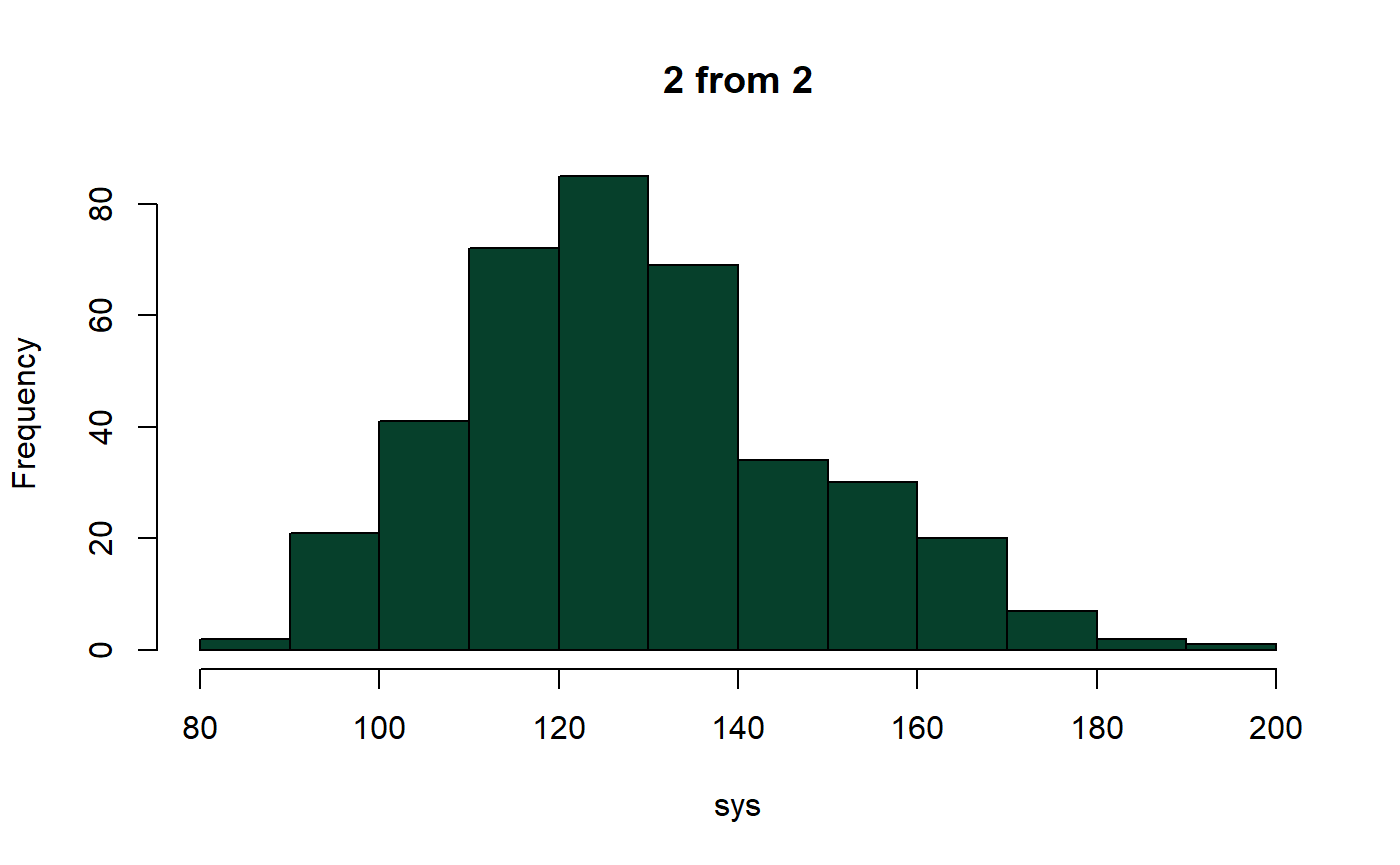
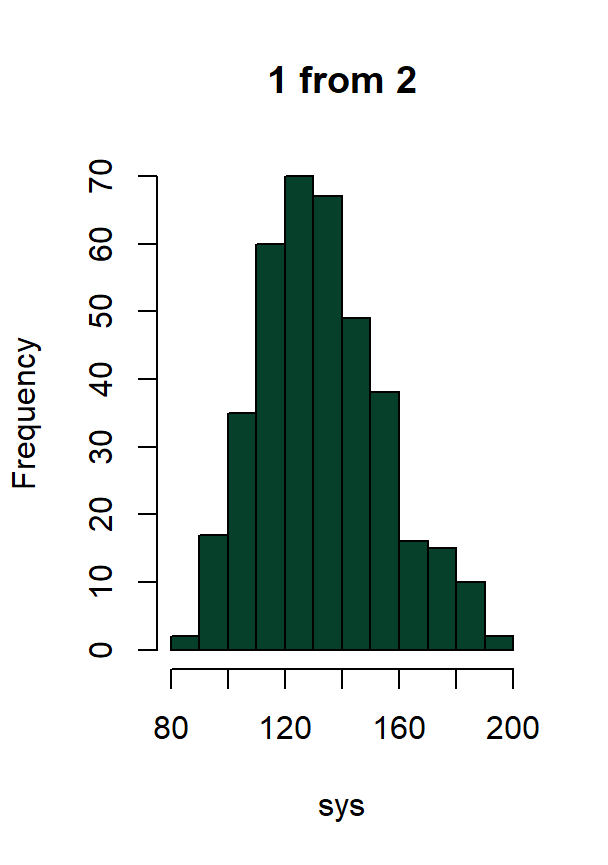
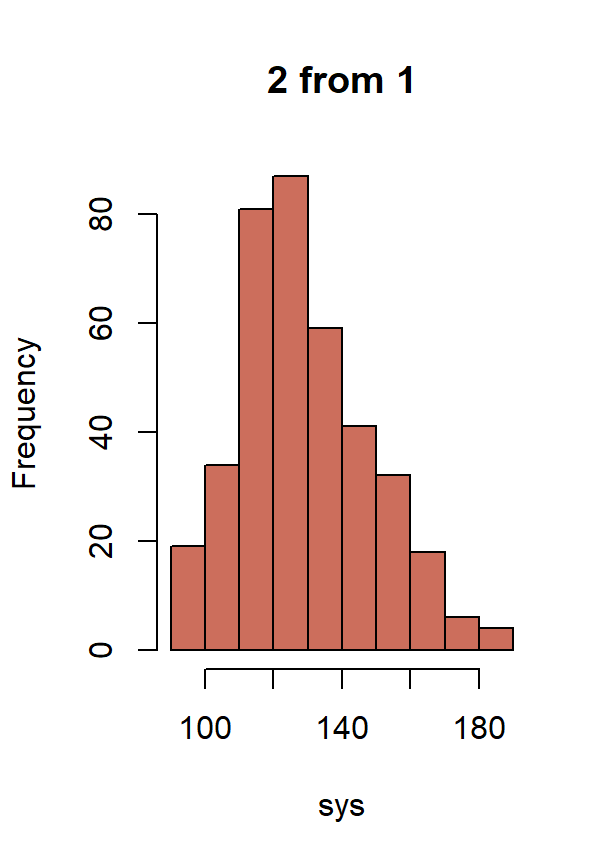
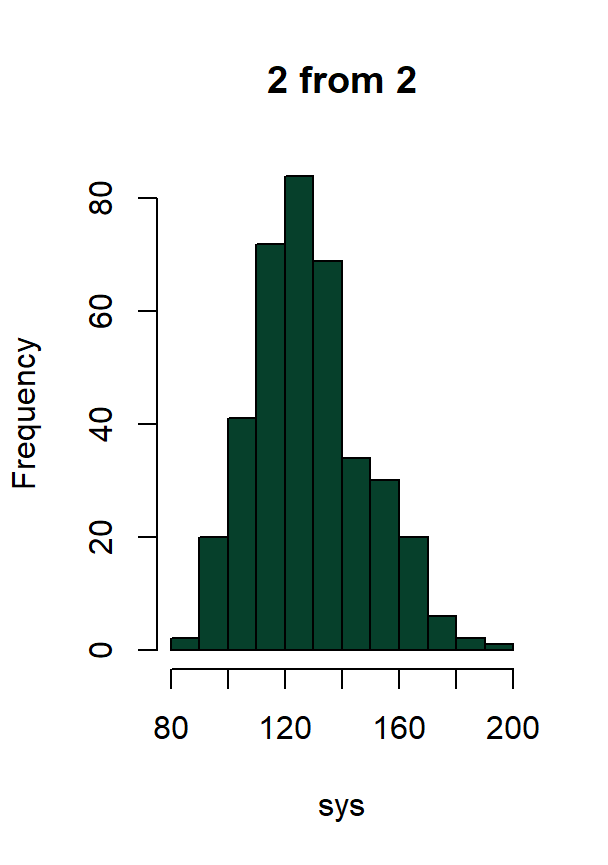
The histograms of the measurements per rater and replicate also allow to explore the empirical distribution of the data. They are useful to assess differences in location, spread, and shape between raters, and to identify potential skewness in the measurements. In this context, these plots are particularly helpful to check distributional assumptions such as the normality of the measurements or the presence of outliers.
The call of the function with plots = "histogram.y"
produces four plots in this case, one per replicate and rater. In
general, \(2\cdot m\) plots are
generated, where \(m\in\{0,1,2,\dots\}\) is the number of
replicates per rater.
descriptive.plots(bp, sys, id, met, rep, plots = "histogram.y")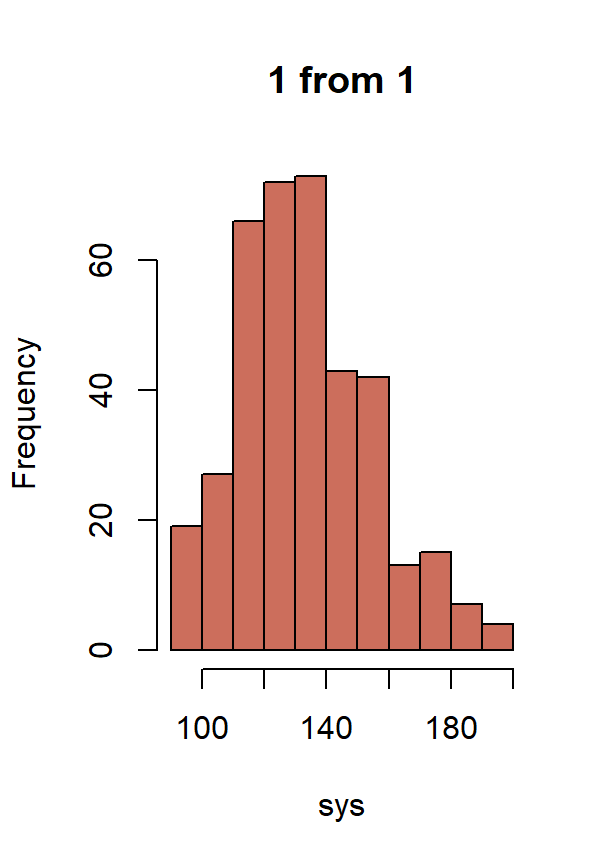
This function accepts calls to par(). Therefore, we can
put the plots in a grid such as:
par(mfrow = c(2, 2))
descriptive.plots(bp, sys, id, met, rep, plots = "histogram.y")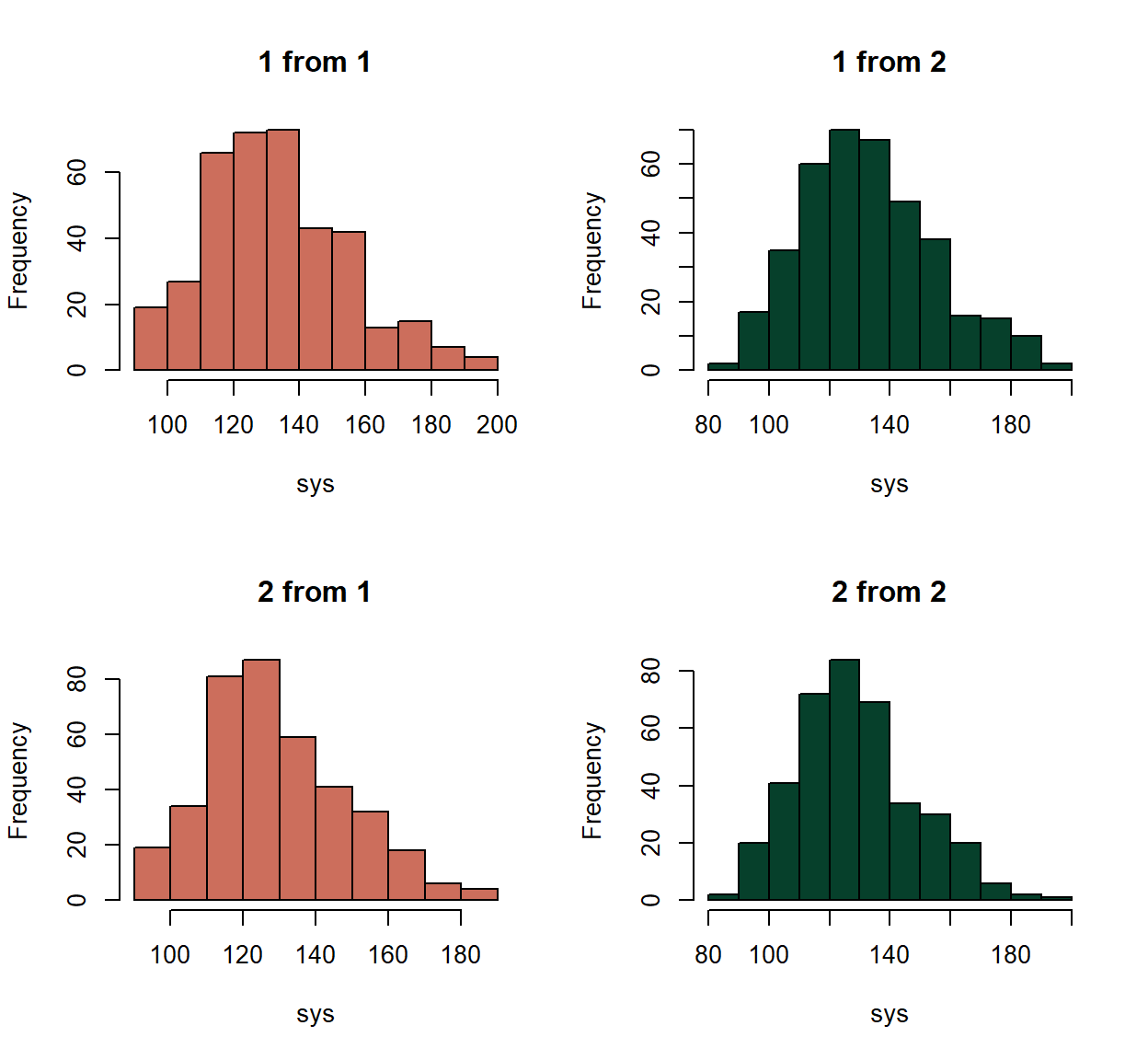
In this case, we would benefit again from changing the labels of the
factors involved in the titles (met and
rep).
bp$met <- factor(bp$met, labels = c("Sphygmomanometer", "OMRON 711"))
bp$rep <- factor(bp$rep, labels = c("1st rep.", "2nd rep."))


par(mfrow = c(2, 2))
descriptive.plots(bp, sys, id, met, rep, plots = "histogram.y")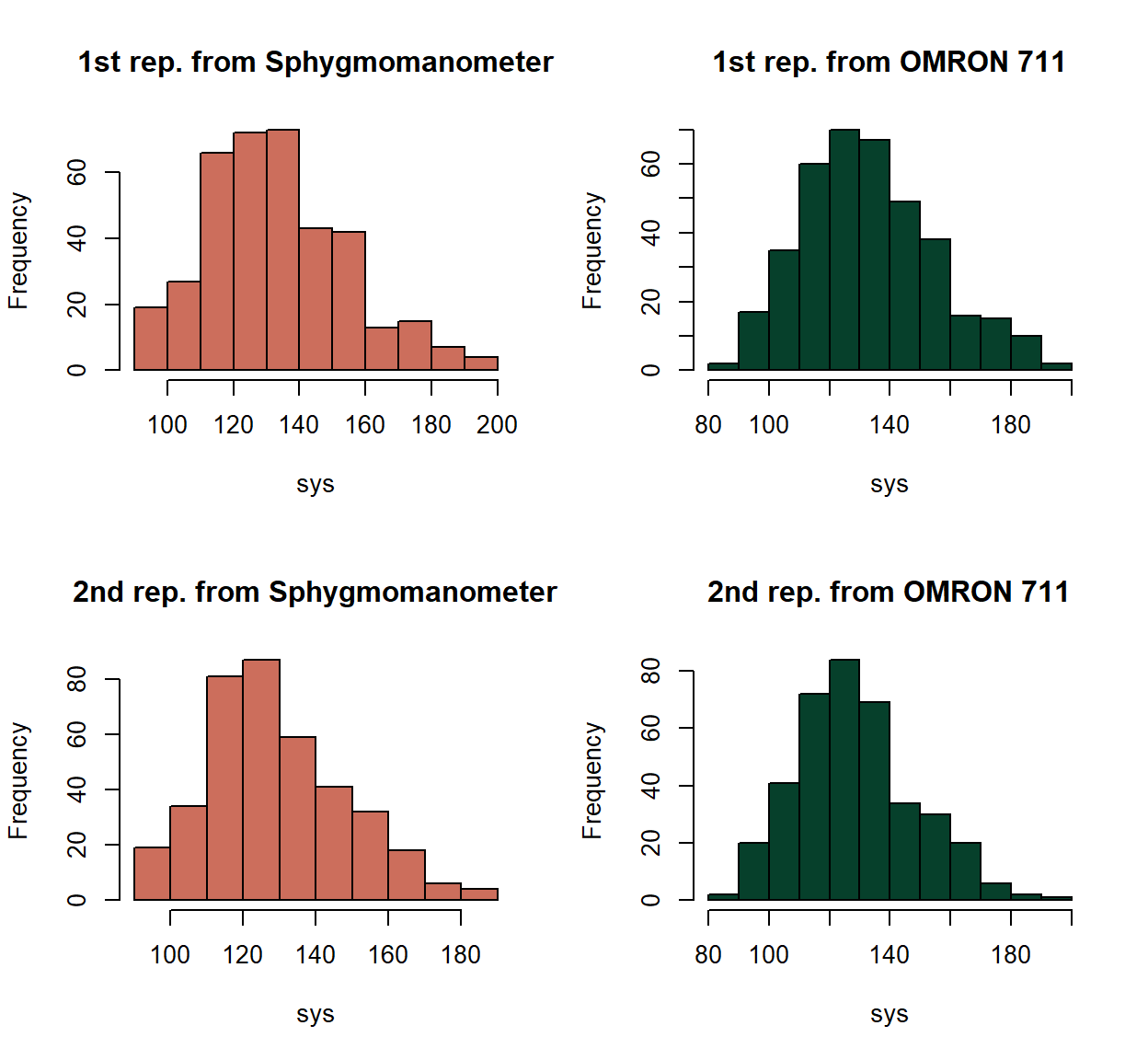
Some specific arguments of the function we can modify are
rater.col, that changes the colour of the raters like in
the case of the boxplots; histogram.y.main, that changes
the overall title for the histograms (all histograms would then have the
same title); and histogram.y.xlab, that changes the label
of the x-axis.
par(mfrow = c(2, 2))
descriptive.plots(bp, sys, id, met, rep, plots = "histogram.y",
                  rater.col = c("#edbd57", "#b0cbe6"),
                  histogram.y.main = "Measurements",
                  histogram.y.xlab = "Systolic BP (mmHg)")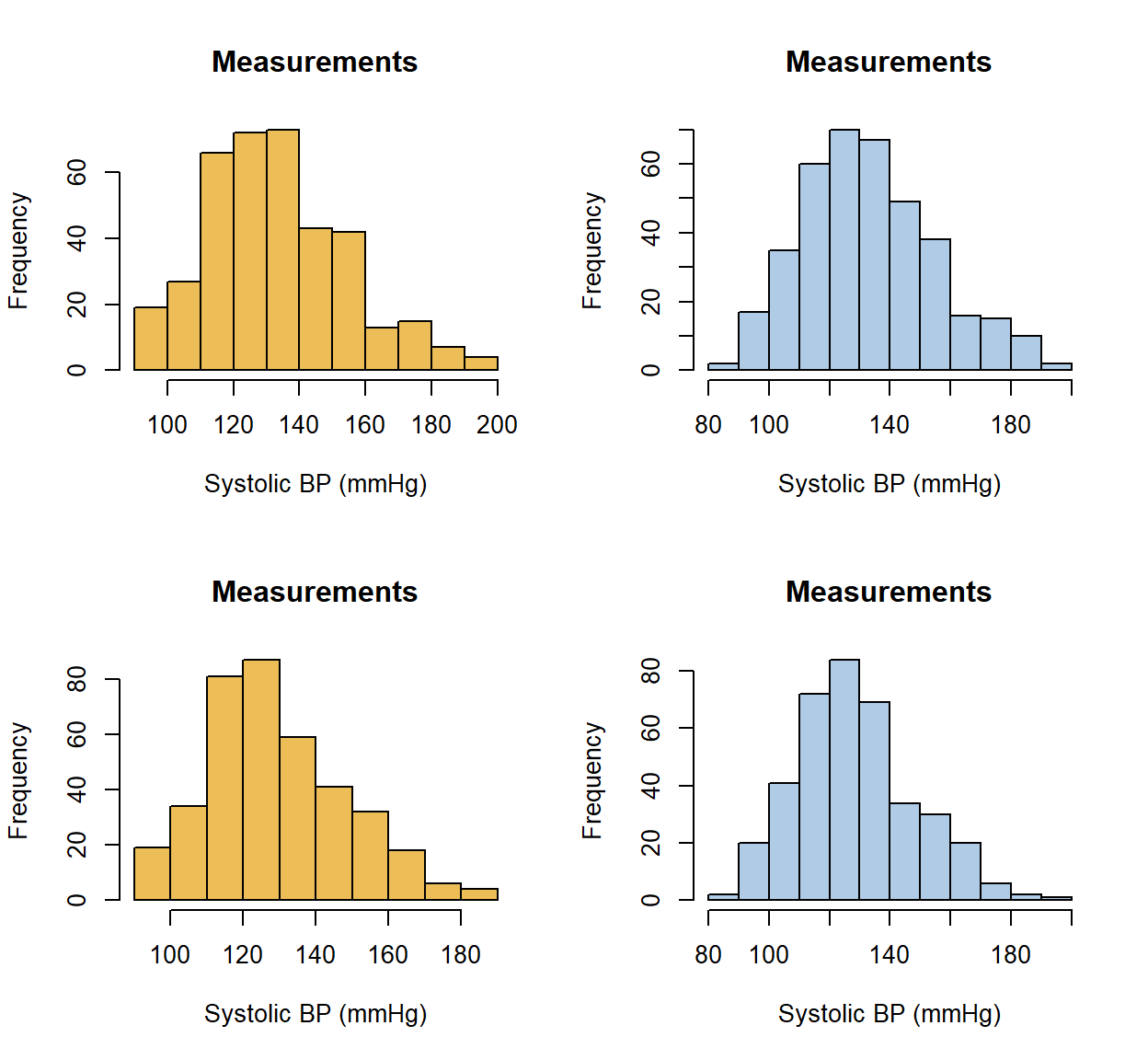
Other arguments we can modify via the ellipsis are the limits of the axes, the style of the axes labels or the number of breaks.
par(mfrow = c(2, 2))
descriptive.plots(bp, sys, id, met, rep, plots = "histogram.y",
                  rater.col = c("#edbd57", "#b0cbe6"),
                  histogram.y.xlab = "Systolic BP (mmHg)",
                  xlim = c(80, 200), ylim = c(0, 60),
                  las = 1, breaks = 16)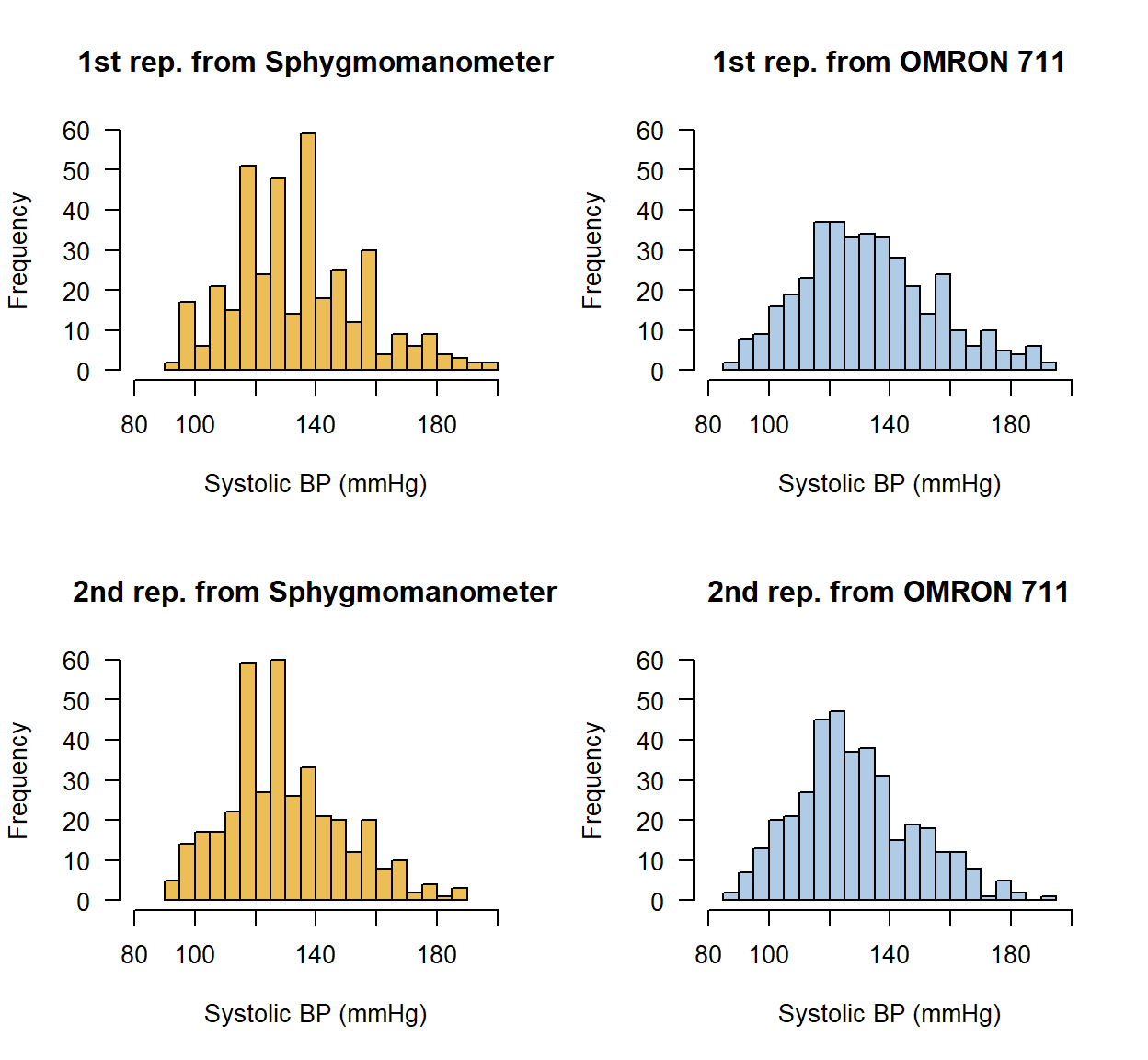
We can reasonably assume that the distribution of all raters and replicates is normal since the histograms look quite symmetric.
Normal quantile–quantile plots of the measurements per rater and replicate
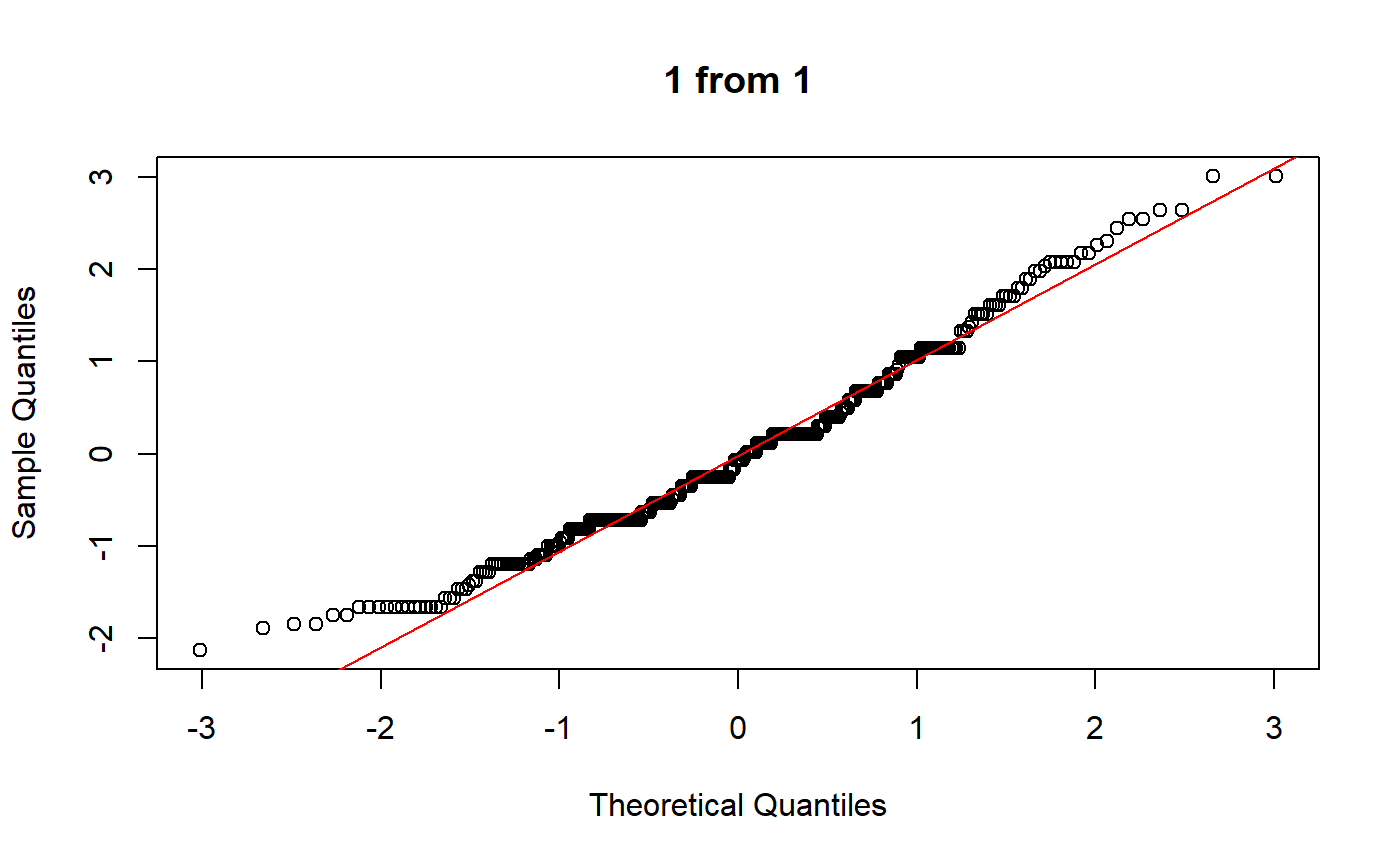
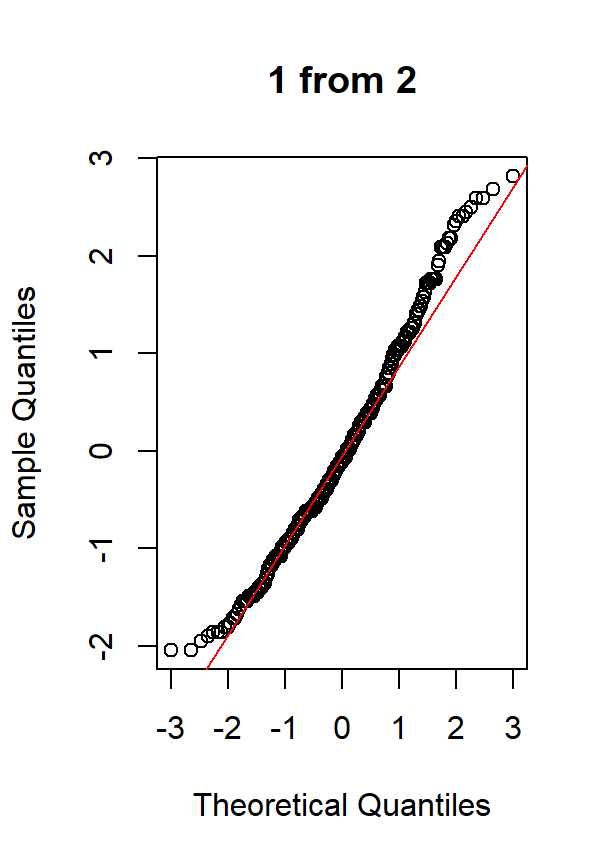
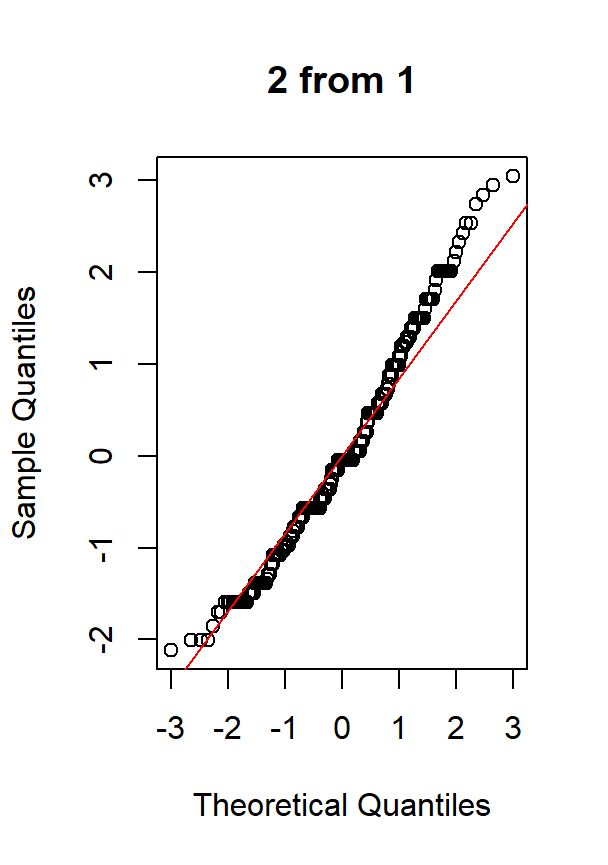
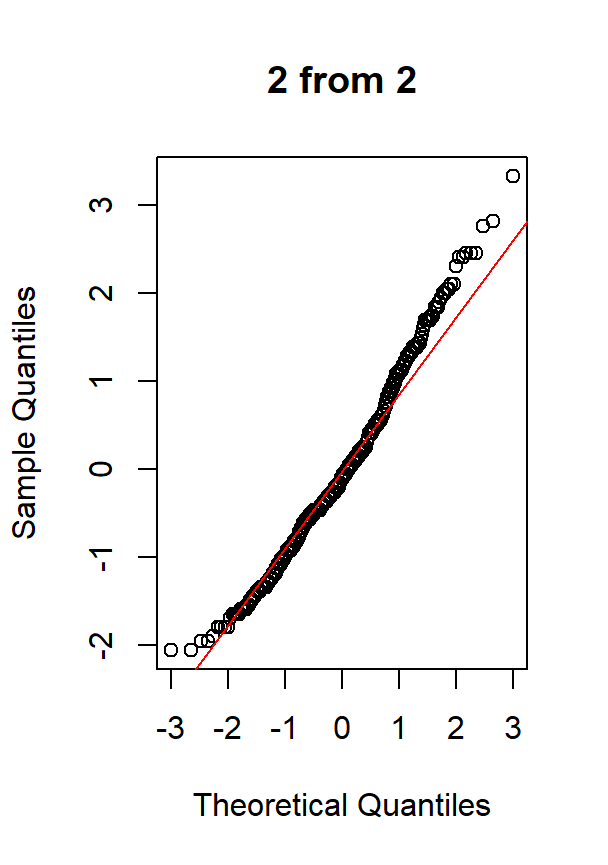
Normal QQ plots of the measurements per rater and replicate are used to visually assess whether the measurement distributions are compatible with a normal distribution. In a QQ plot, departures from the reference line indicate deviations from normality, such as skewness or heavy tails. Assessing normality is relevant in agreement analysis because many agreement indices and modelling approaches rely, either explicitly or implicitly, on normality assumptions. Comparing QQ plots across raters also helps determine whether such assumptions are equally reasonable for all raters.
As with the histograms, the call of the function with
plots = "qqplot.y" produces four plots. Before plotting
them, we undo the change we have made in the met column to
obtain the graph we would have obtained with the original data.
bp$met <- factor(bp$met, labels = c("1", "2"))
bp$rep <- factor(bp$rep, labels = c("1", "2"))

descriptive.plots(bp, sys, id, met, rep, plots = "qqplot.y")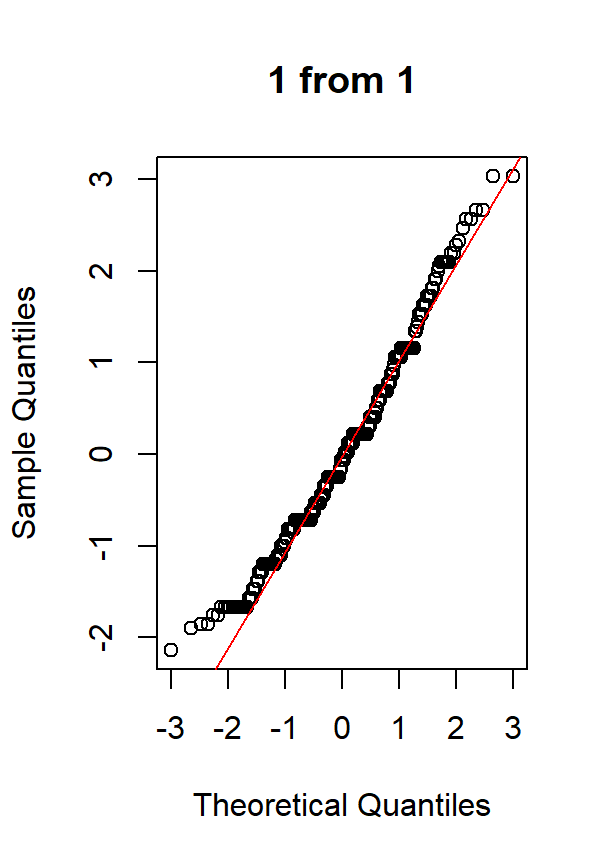
Similarly as before, we can work with par() and change
the labels of the factors involved in the titles to make them more
comprehensible.
bp$met <- factor(bp$met, labels = c("Sphygmomanometer", "OMRON 711"))
bp$rep <- factor(bp$rep, labels = c("1st rep.", "2nd rep."))


par(mfrow = c(2, 2))
descriptive.plots(bp, sys, id, met, rep, plots = "qqplot.y")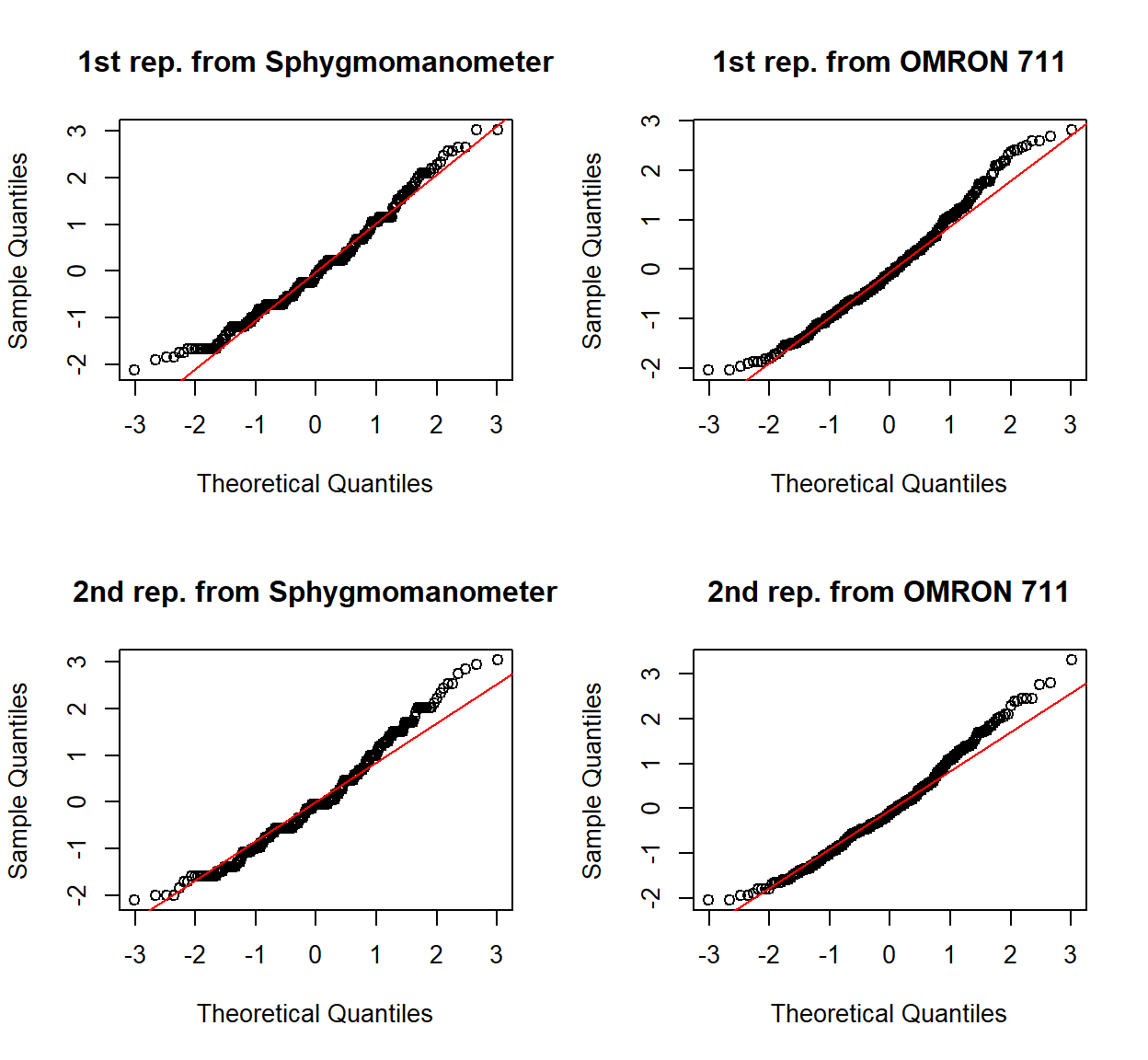
There’s an argument to change the overall titles that works like the
one for the histograms and the colour of the line can be changed.
Additionally, graphical parameters such as the colour of the line
(line.col) can be passed to the underlying plotting
functions through the ellipsis (...), while
par() can be used to tweak general graphical settings, as
usual.
par(mfrow = c(2, 2), mar = c(4, 4, 1, 2) + 0.1, las = 1)
descriptive.plots(bp, sys, id, met, rep, plots = "qqplot.y",
                  qqplot.y.main = "", line.col = "green",
                  xlim = c(-4, 4), ylim = c(-4, 4))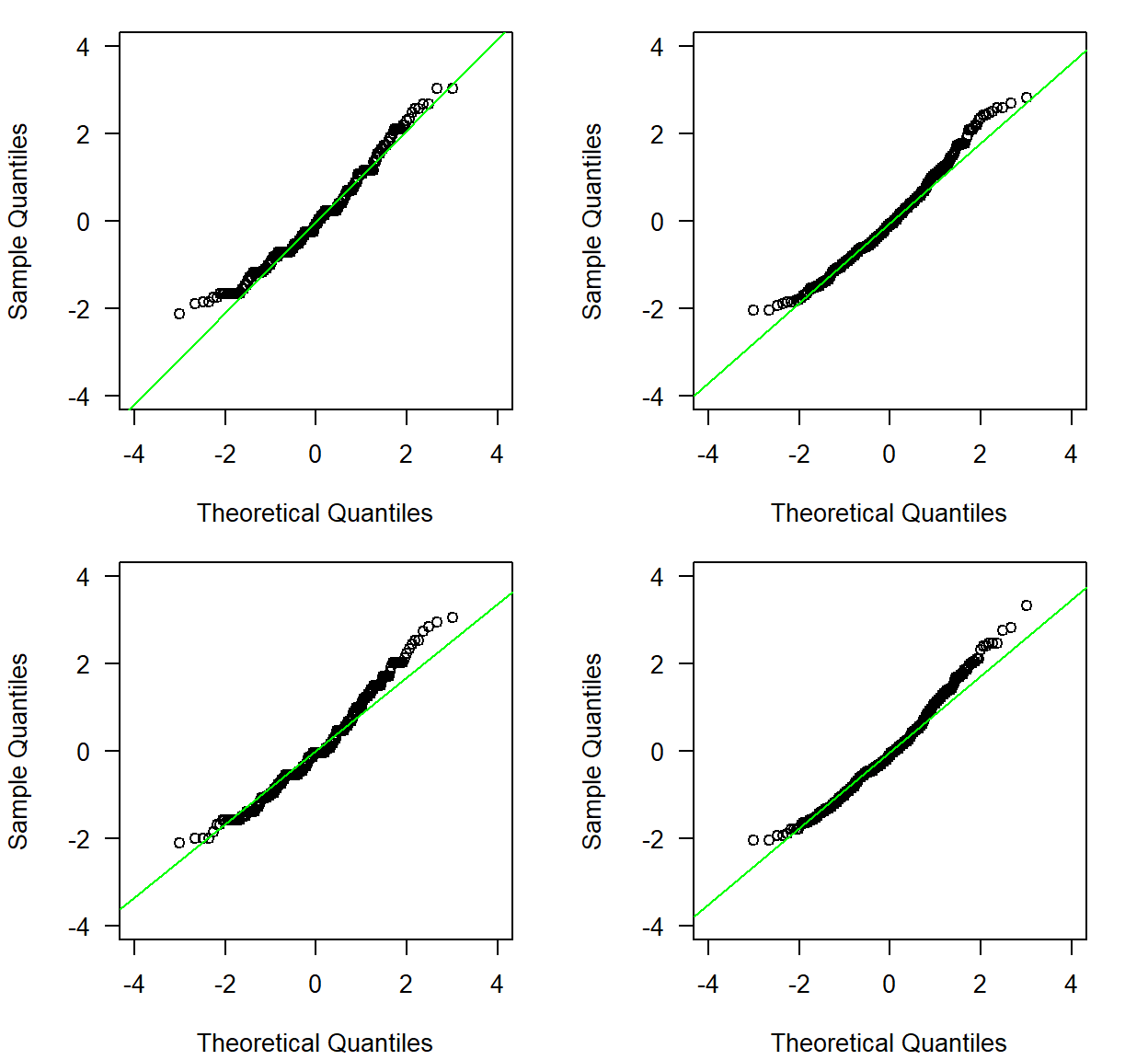
In the normal QQ plots we can see the points fairly fitting the theoretical line, making it feasible to assume a normal distribution for the blood pressure data.
Note: One could find interesting to plot each histogram side by side with the corresponding normal QQ plot. This can be done as follows:
par(mfcol = c(4, 2), las = 1)
descriptive.plots(bp, sys, id, met, rep, plots = "histogram.y",
                  histogram.y.xlab = "Systolic BP (mmHg)",
                  xlim = c(80, 200), ylim = c(0, 100))
descriptive.plots(bp, sys, id, met, rep, plots = "qqplot.y",
                  xlim = c(-4, 4), ylim = c(-4, 4))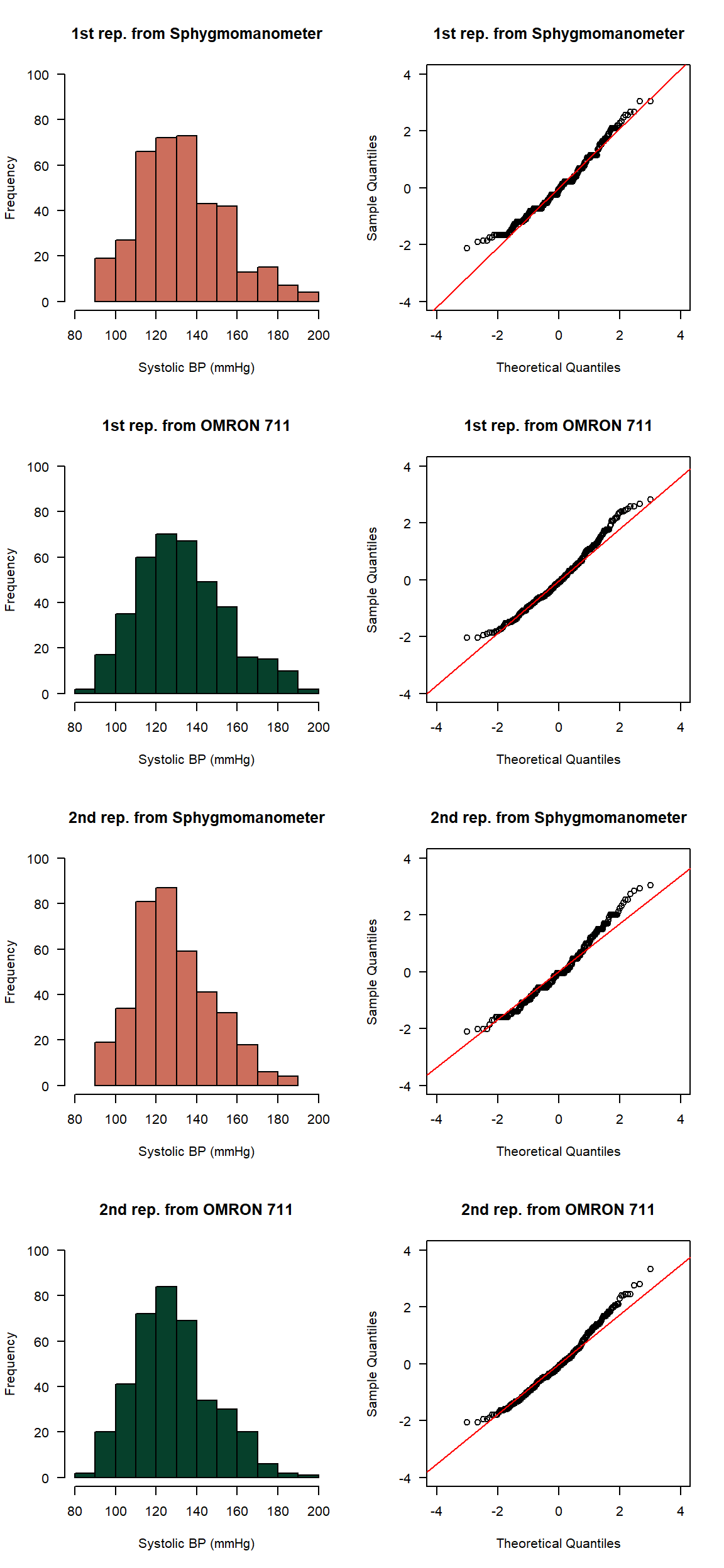
Notice that by calling the function twice we can modify the ellipsis
of both the histograms and normal QQ plots independently. Had we called
them together by using plots = c("histogram.y", "qqplot.y")
it would not have been possible.
Histograms of the paired-differences
A central matter in agreement analysis is the distribution of the paired-differences between raters. A histogram of these paired-differences is useful for detecting outliers and for assessing whether they appear approximately normally-distributed, which is important for the parametric methods to estimate the TDI and the UBs.
As we have been doing, the most simple call to the function that
produces the histogram of the paired-differences is the call with
plots = "histogram.d".
descriptive.plots(bp, sys, id, met, rep, plots = "histogram.d")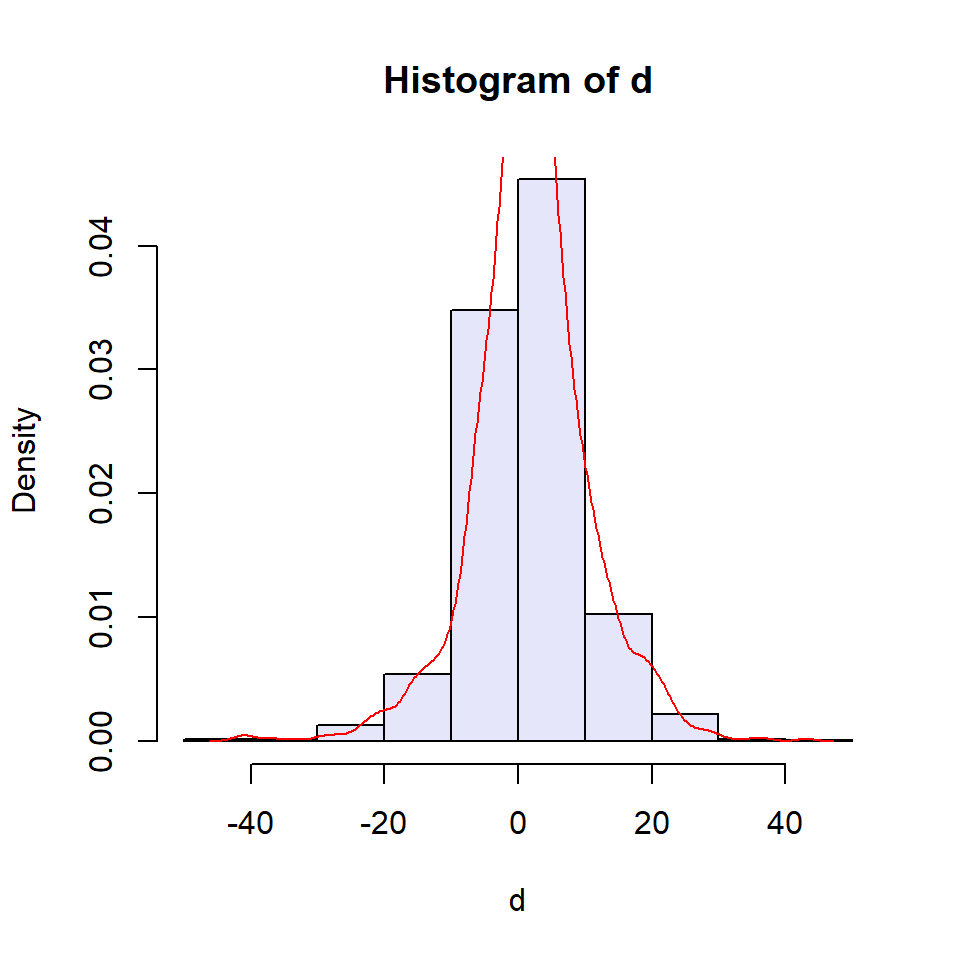
The specific arguments we can modify to change the appearance of the
graph are density.col that changes the colour of the
density curve, histogram.d.density that allows the user to
add or not the density curve and histogram.d.bw that
modifies the smoothing bandwidth of the density curve.
For example, without the density curve and modifying the limits, labels and style of the axes, the title and the number of breaks through the ellipsis we obtain the following plot:
descriptive.plots(bp, sys, id, met, rep, plots = "histogram.d",
                  histogram.d.density = FALSE,
                  xlim = c(-50, 50), ylim = c(0, 0.06),
                  xlab = "Paired-differences",
                  las = 1,
                  main = "",
                  breaks = 15)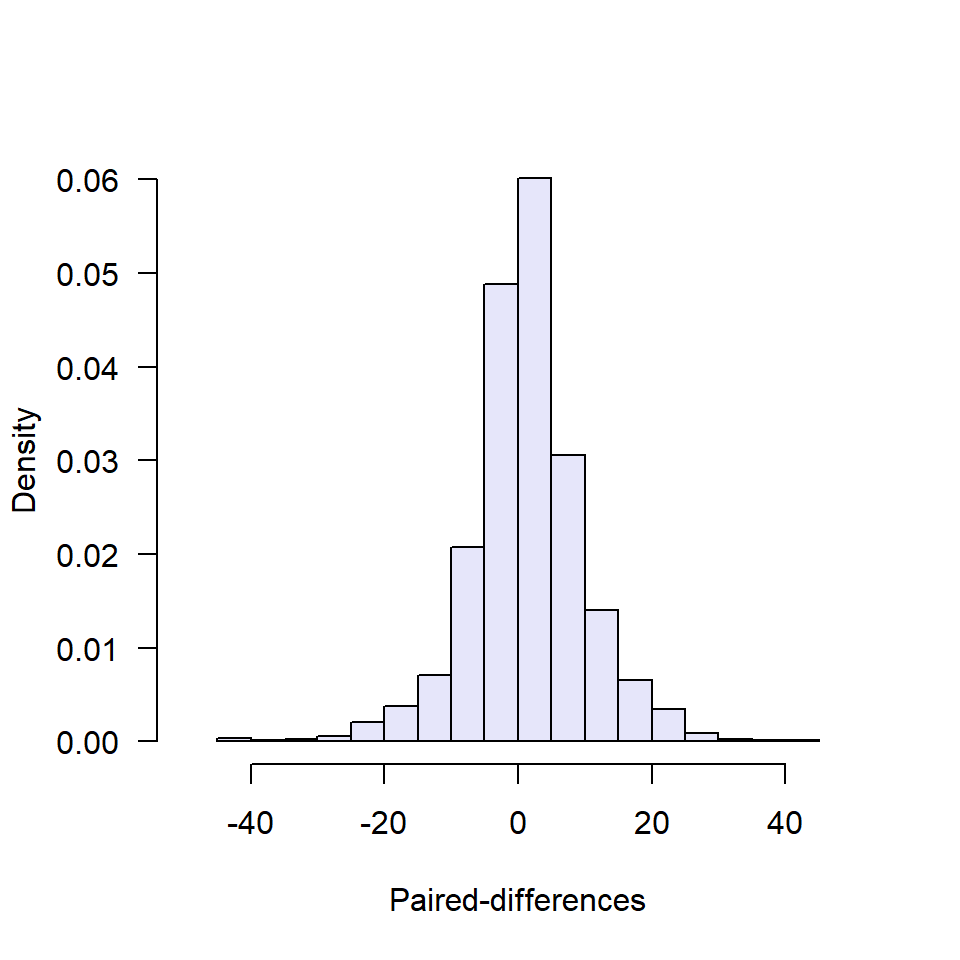
We can even force the x-axis to have the ticks and size we want:
descriptive.plots(bp, sys, id, met, rep, plots = "histogram.d",
                  histogram.d.density = FALSE,
                  xlim = c(-50, 50), ylim = c(0, 0.07),
                  xlab = "Paired-differences",
                  las = 1,
                  main = "",
                  breaks = 15,
                  xaxt = "n")
axis(1, at = seq(-50, 50, by = 10), cex.axis = 0.9)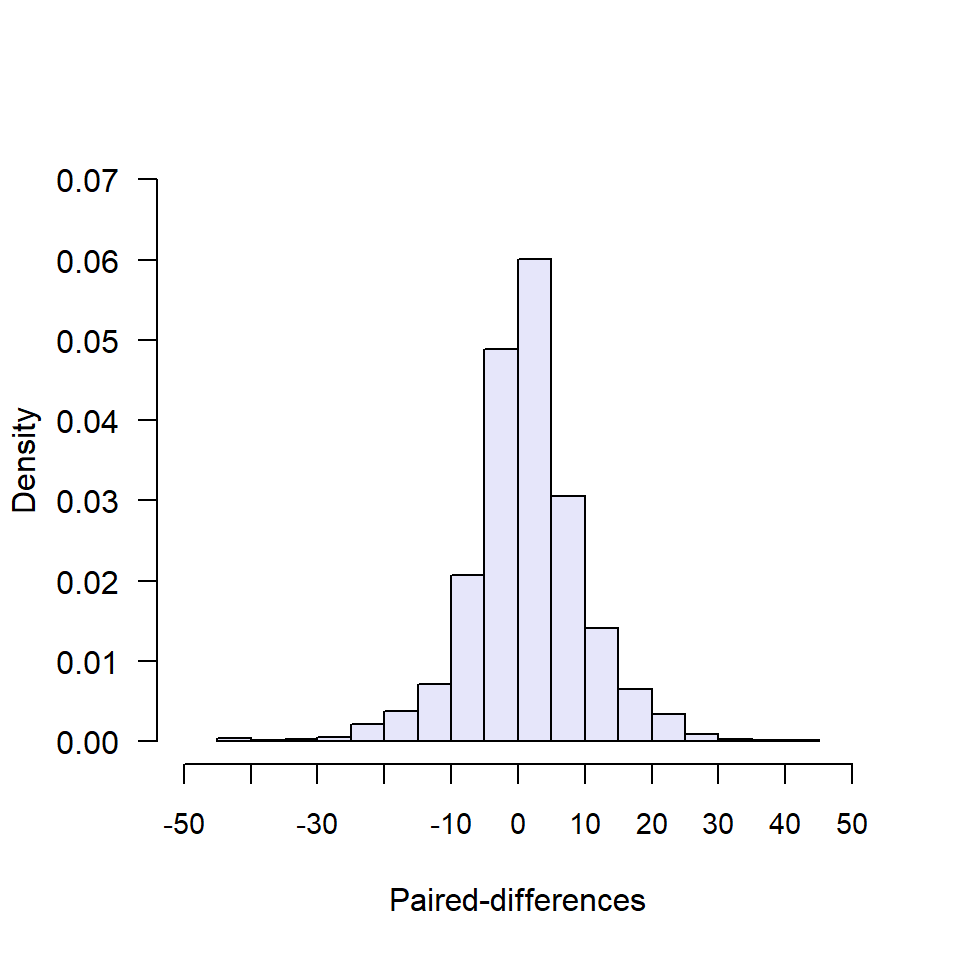
With the density curve and its colour and smoothing bandwidth modified:
descriptive.plots(bp, sys, id, met, rep, plots = "histogram.d",
                  density.col = "green",
                  histogram.d.bw = 3,
                  xlim = c(-50, 50), ylim = c(0, 0.07),
                  xlab = "Paired-differences",
                  las = 1,
                  main = "",
                  breaks = 15,
                  xaxt = "n")
axis(1, at = seq(-50, 50, by = 10), cex.axis = 0.9)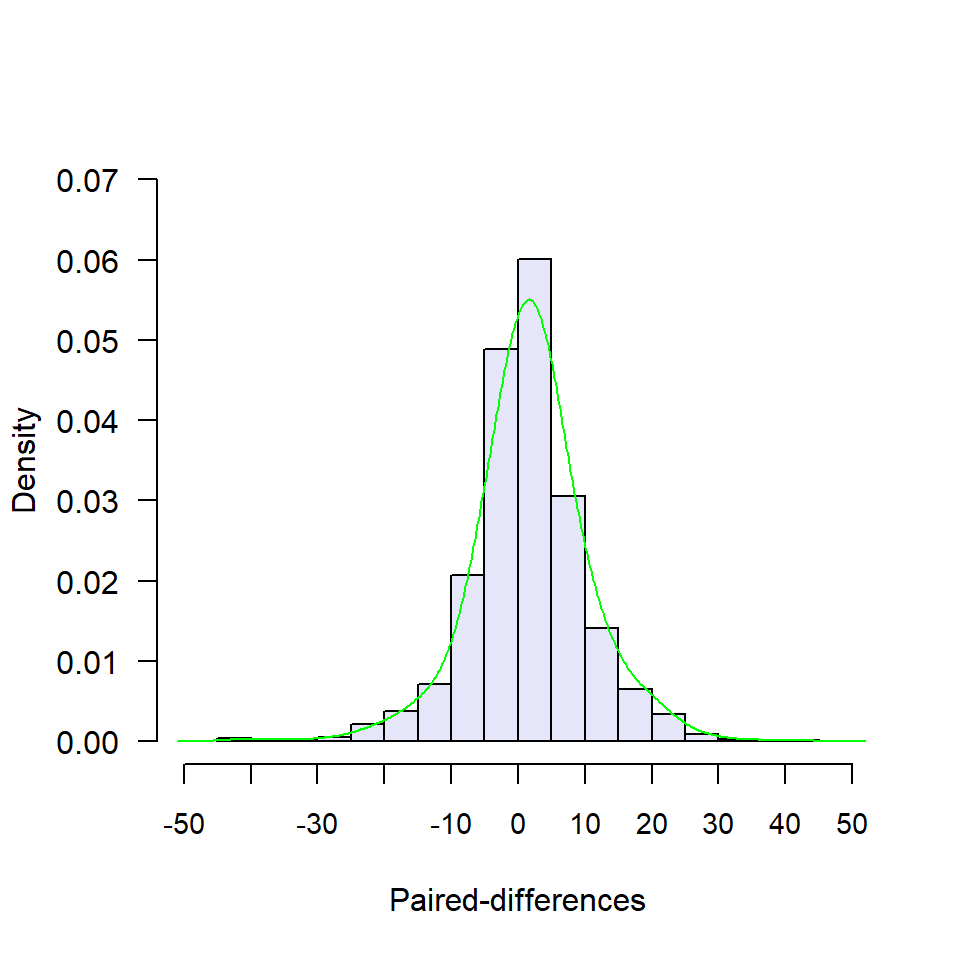
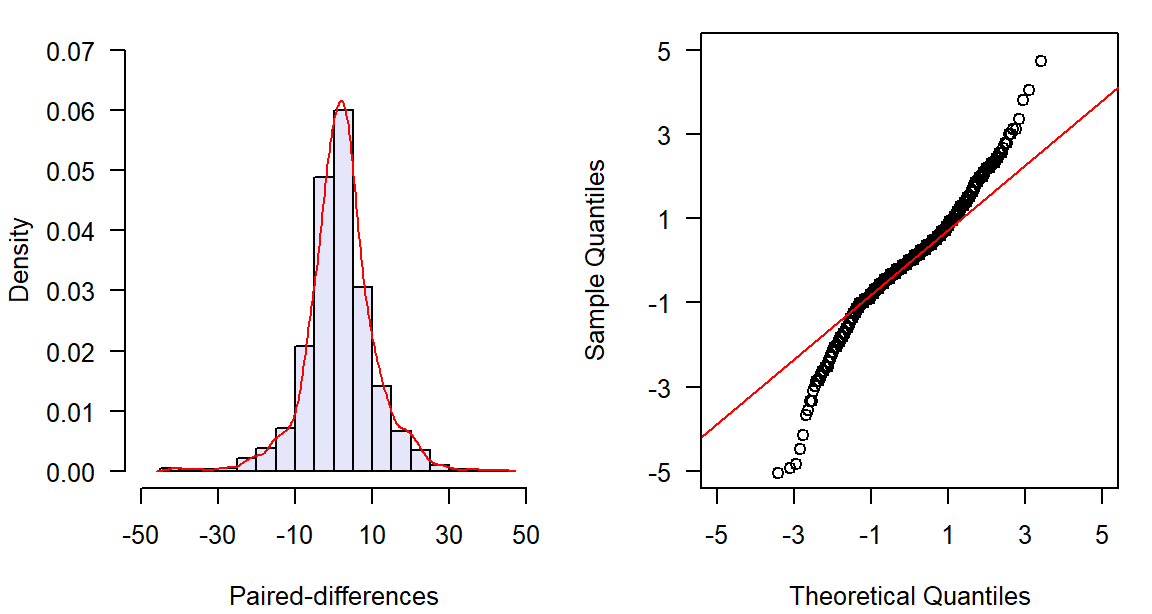
In this example, we see that the histogram shows a symmetric distribution, with the majority of the paired-differences around 0.
Normal quantile-quantile plot of the paired-differences
The normal QQ plot of the paired-differences provides an alternative method of assessing the normality assumption for the differences between raters. Deviations from the straight line may indicate skewness, heavy tails, or other departures from normality.
Again, the most simple call to the function that produces the normal
QQ of the paired differences is the call with
plots = "histogram.d".
descriptive.plots(bp, sys, id, met, rep, plots = "qqplot.d")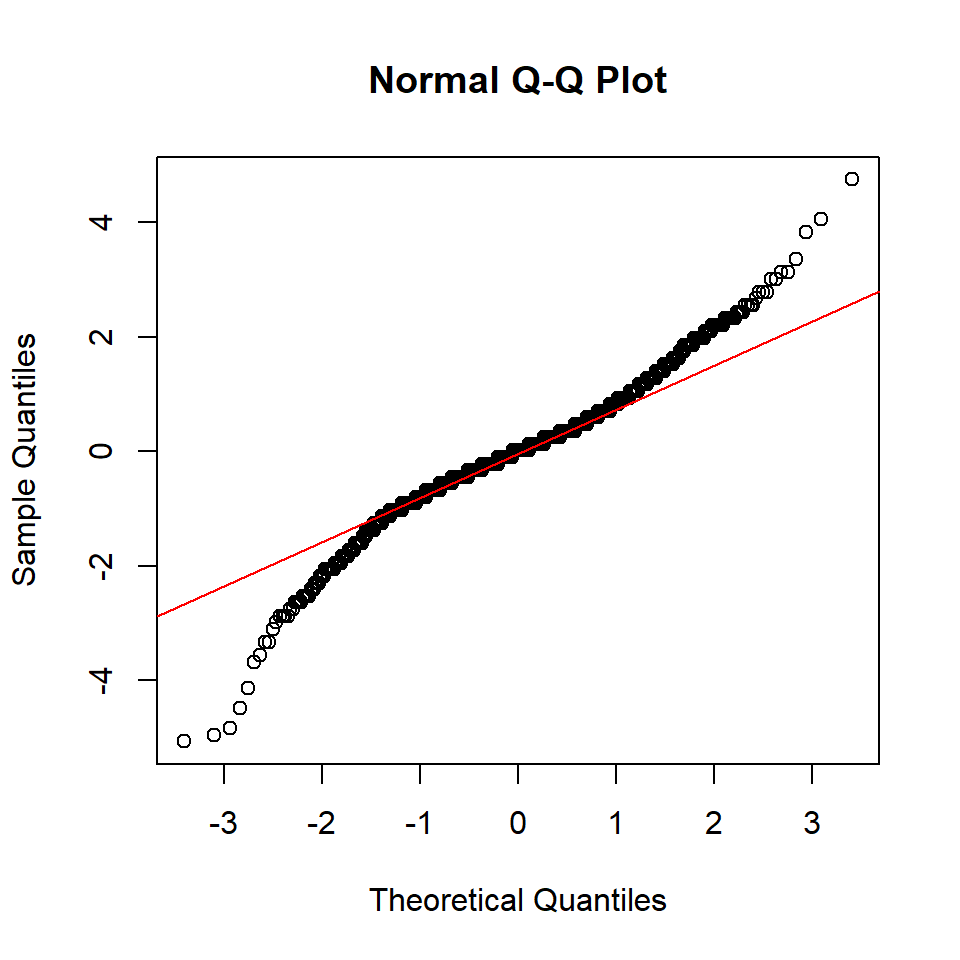
The only specific argument that we can modify of the normal QQ plot
is the colour of the line via line.col. We can also modify
other parameters through the ellipsis such as the limits and style of
the axes, the title or even delete the axes to add them manually.
descriptive.plots(bp, sys, id, met, rep, plots = "qqplot.d",
                  line.col = "green",
                  xlim = c(-5, 5), ylim = c(-5, 5),
                  las = 1,
                  main = "",
                  xaxt = "n", yaxt = "n")
axis(1, at = seq(-5, 5, by = 2))
axis(2, at = seq(-5, 5, by = 2))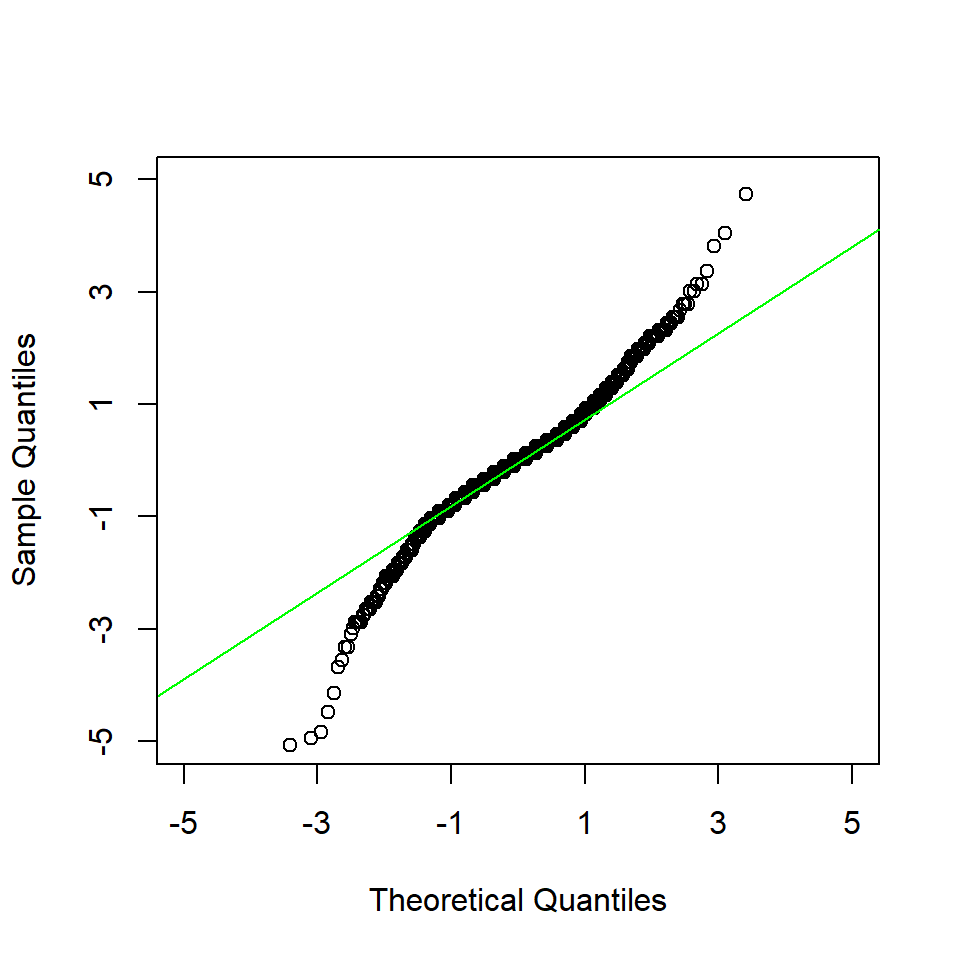
We observe an S-shaped curve which may indicate heavier tails than the normal distribution. Nonetheless, being real data, we could assume the normality of the paired-differences.
Note: As with the histograms of the measurements, one could find interesting to plot the histogram of the paired-differences side by side with the normal QQ plot.
par(mfcol = c(1, 2), las = 1, mar = c(4, 4, 1, 1) + 0.1, cex = 0.8)
descriptive.plots(bp, sys, id, met, rep, plots = "histogram.d",
                  xlim = c(-50, 50), ylim = c(0, 0.07),
                  xlab = "Paired-differences",
                  main = "",
                  breaks = 15,
                  xaxt = "n")
axis(1, at = seq(-50, 50, by = 20))
descriptive.plots(bp, sys, id, met, rep, plots = "qqplot.d",
                  xlim = c(-5, 5), ylim = c(-5, 5),
                  main = "",
                  xaxt = "n", yaxt = "n")
axis(1, at = seq(-5, 5, by = 2))
axis(2, at = seq(-5, 5, by = 2))